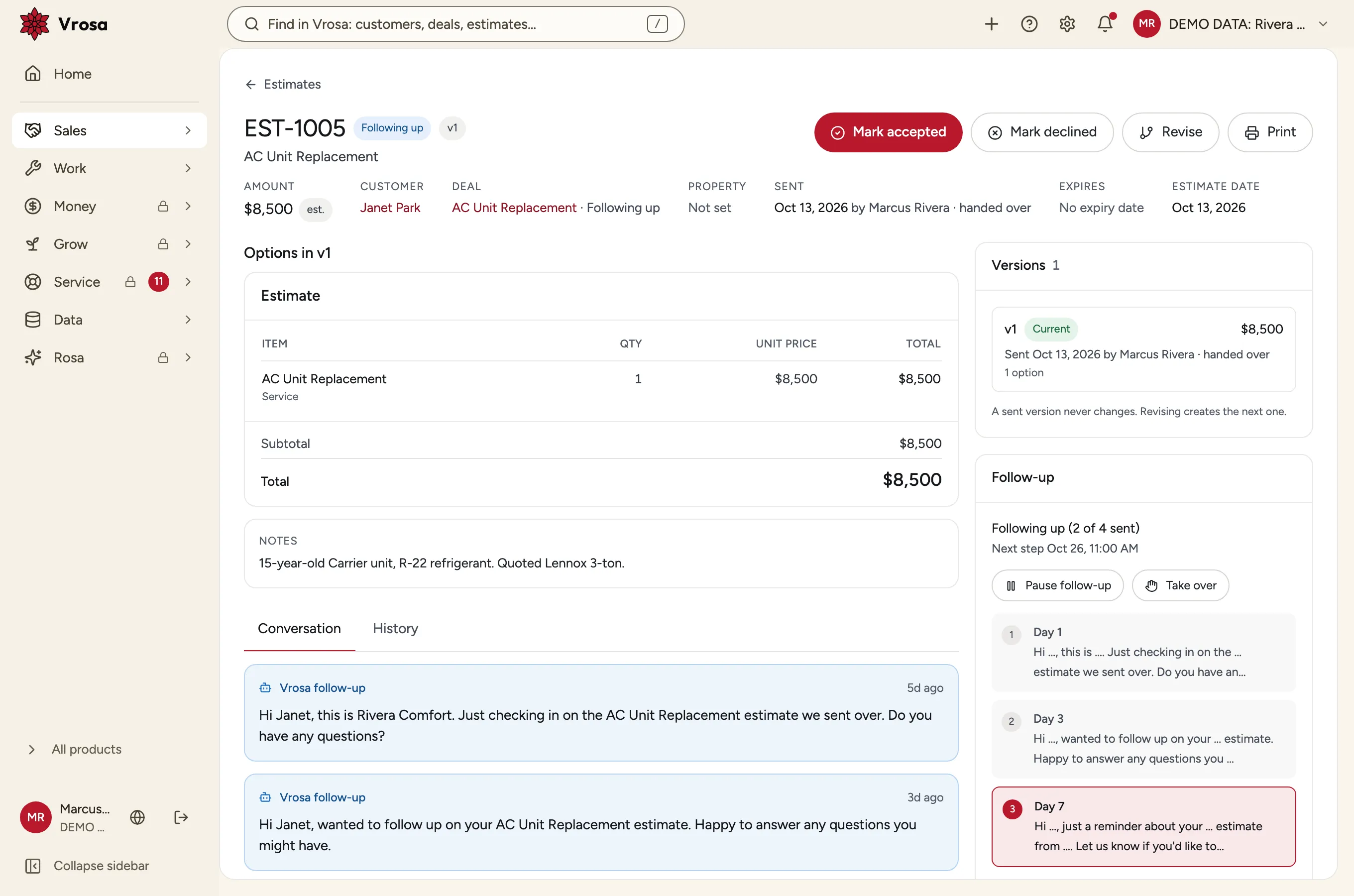
A schedule you control
Choose the days and the words. The plan follows up the way you would and pauses when the customer answers.
Get a demoPower up your service business
Vrosa is the all in one system for home service businesses to run sales, operations, accounting, and marketing.
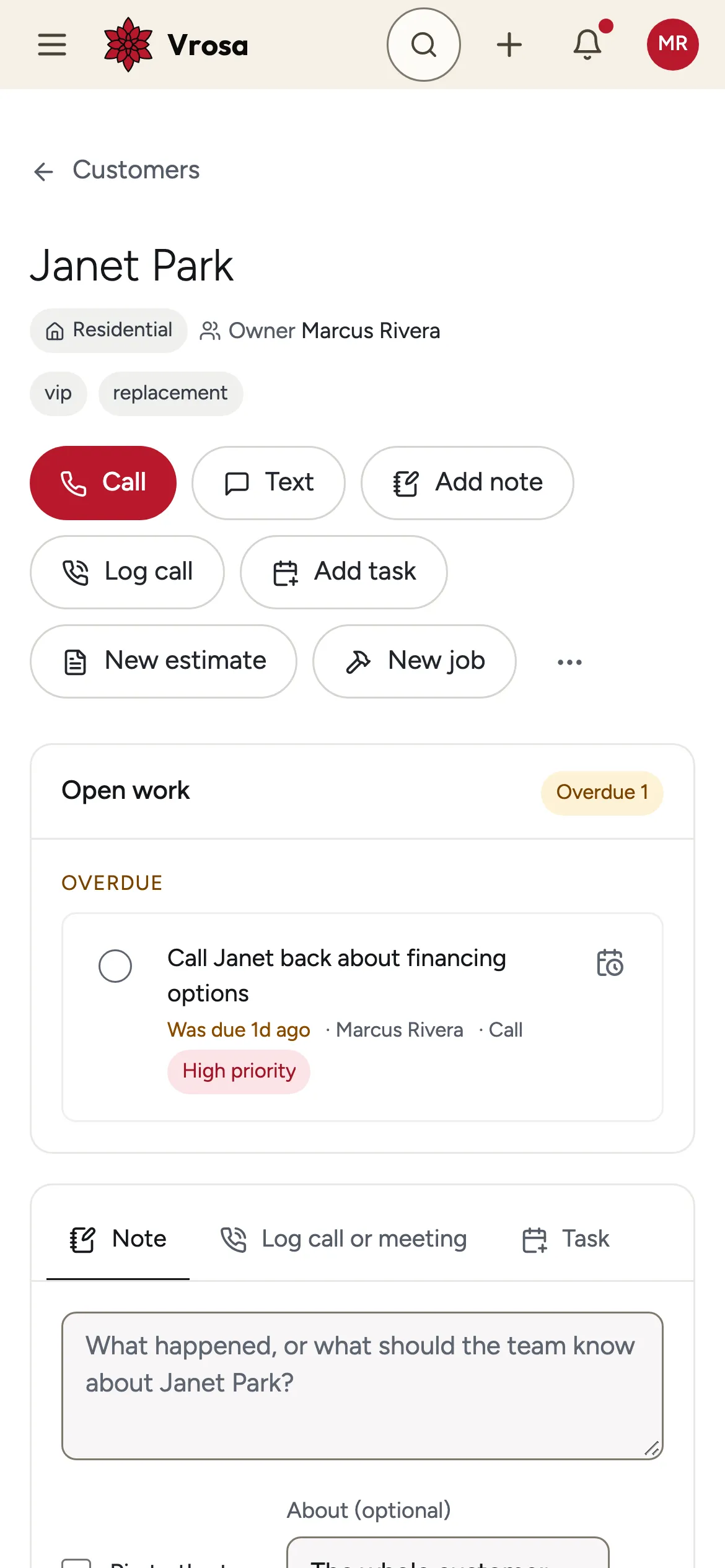
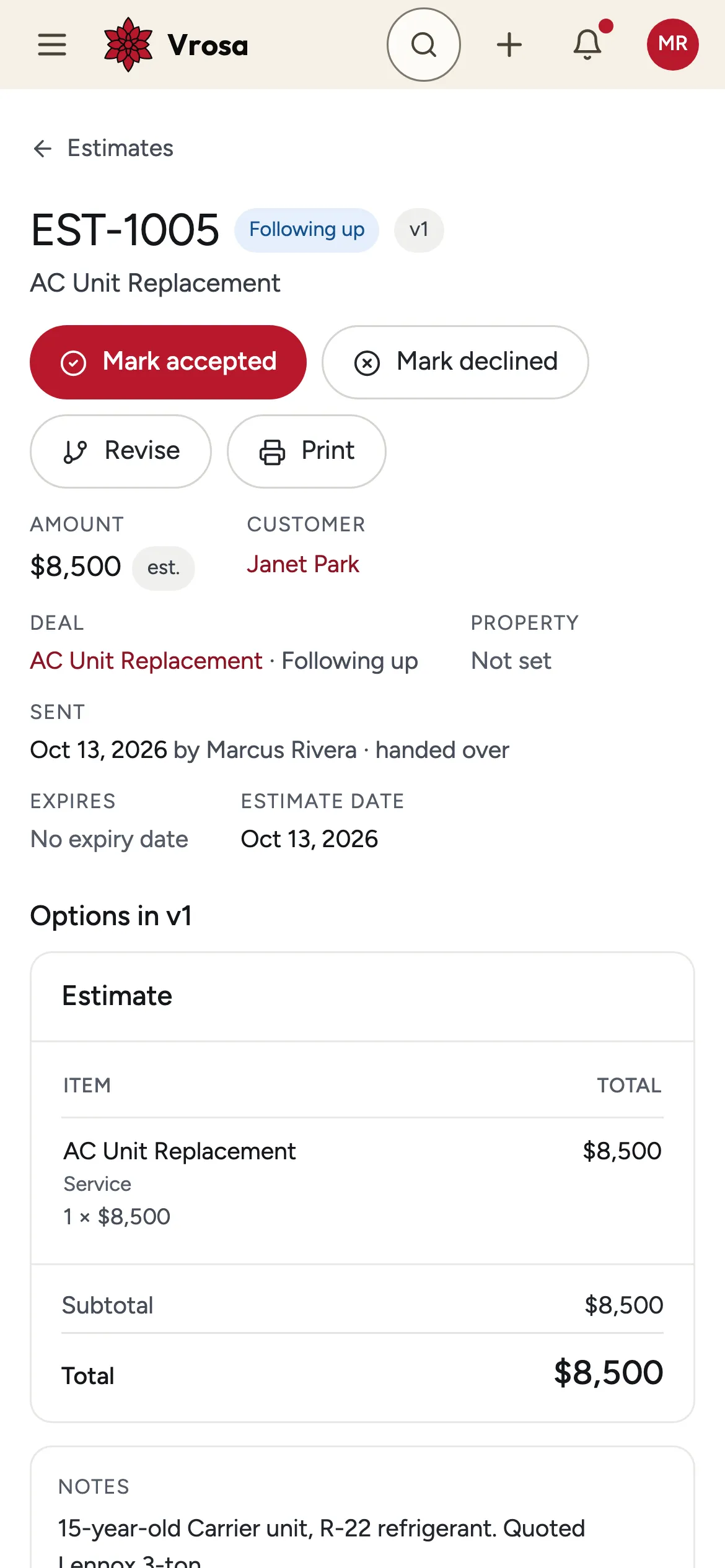
Screens show example data from one kind of business, a heating and cooling company. Your own customers, services and fields would appear in the same places.
Vrosa puts the work of a home service business in one system: your customers, your estimates, the schedule and the money. It starts with customer records and estimate follow-up, so earned work does not slip away.
Built for owner-run home service businesses
Separate tools mean typing the same customer in five places. In Vrosa every area shares one customer record, from the first call to the finished work.
Add a customer once. Estimates, conversations, jobs and invoices all belong on the same record.
Illustrations show the direction of the system. Guided demos focus on customer records and estimate follow-up.
Free Growth Audit
Answer 15 questions and get a personalized look at what’s helping your business grow, where your biggest bottleneck is, and what to work on next.
15 questions. No name or email needed to see your results.
Example of the audit: a question, then a result with a Growth Score, five area scores, the strongest area, the biggest bottleneck and three next steps.
Estimate follow-up
Most estimates never get a clear yes or no. Vrosa gives each one a follow-up plan on your schedule, pauses it when the customer replies, and flags replies that need a person. Messages are shown in demo mode and are not sent to customers yet.
Choose the days and the words. The plan follows up the way you would and pauses when the customer answers.
Get a demo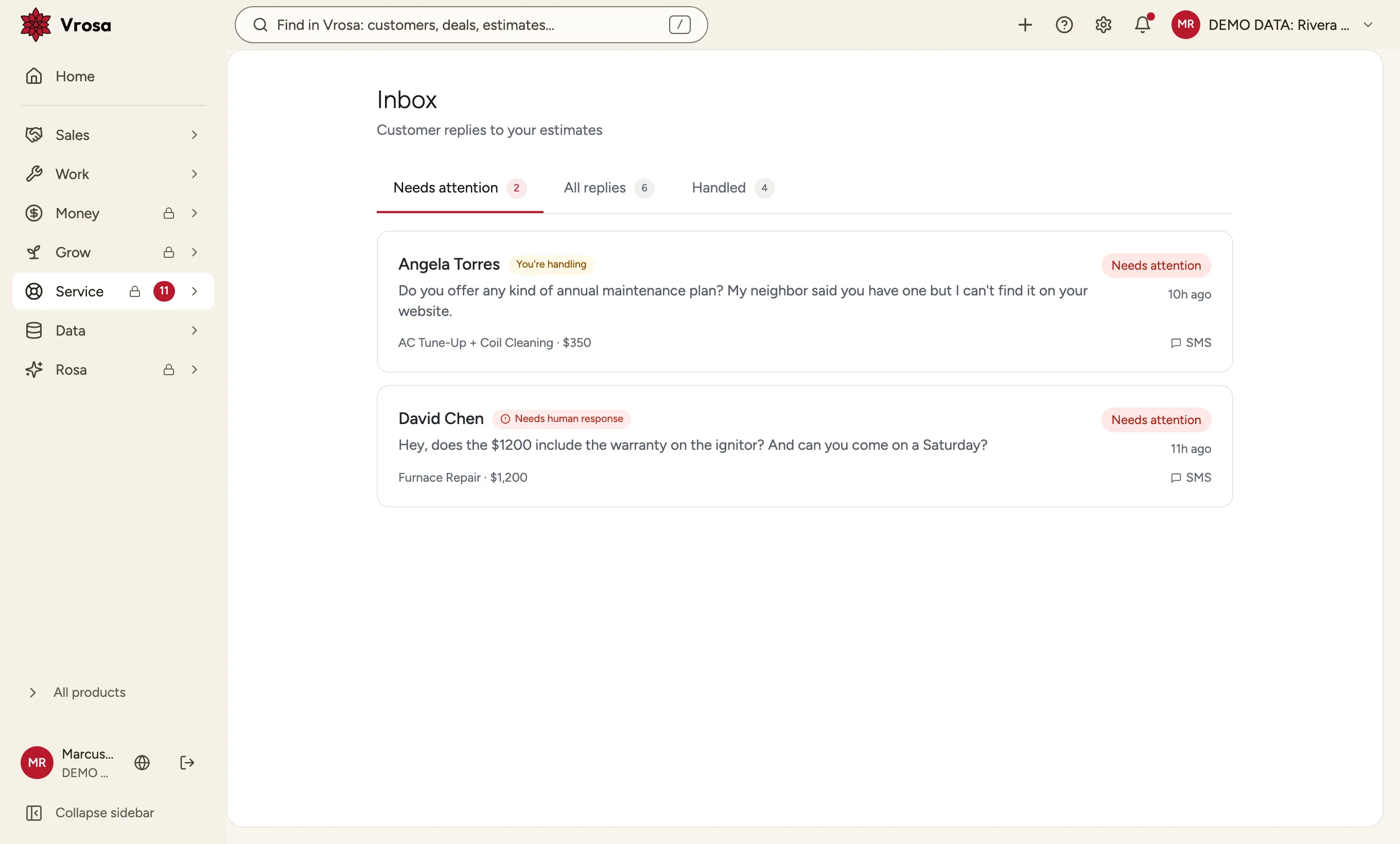
Customer replies land in one inbox. When a message needs a person, it is flagged so someone can take over the conversation.
Get a demo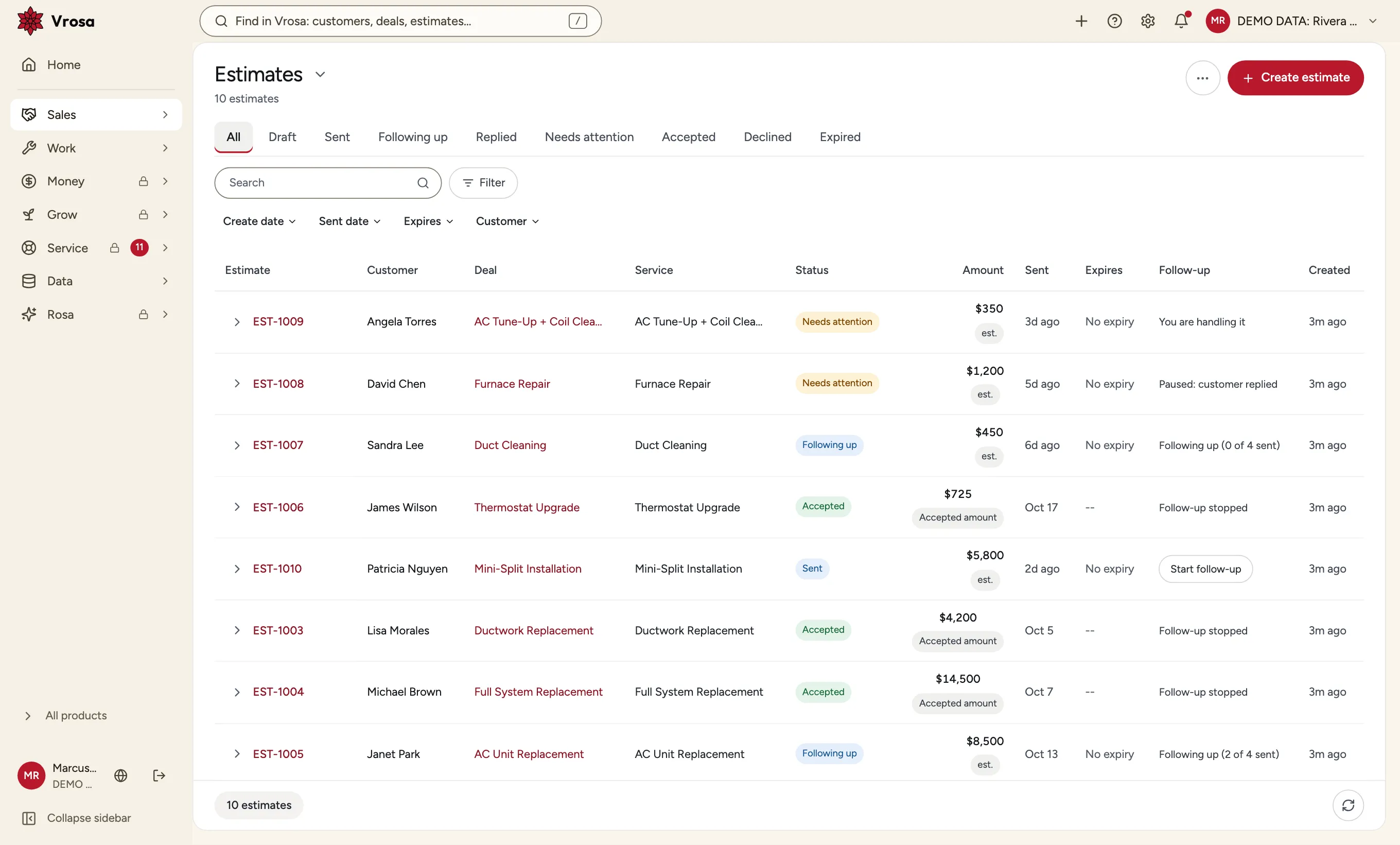
Every estimate ends as Accepted or Declined, so you can see what follow-up brought back and what did not.
Get a demoScreens show example data from one kind of business, a heating and cooling company. Your own customers, services and fields would appear in the same places. Customer messaging is shown in demo mode.
Customer records
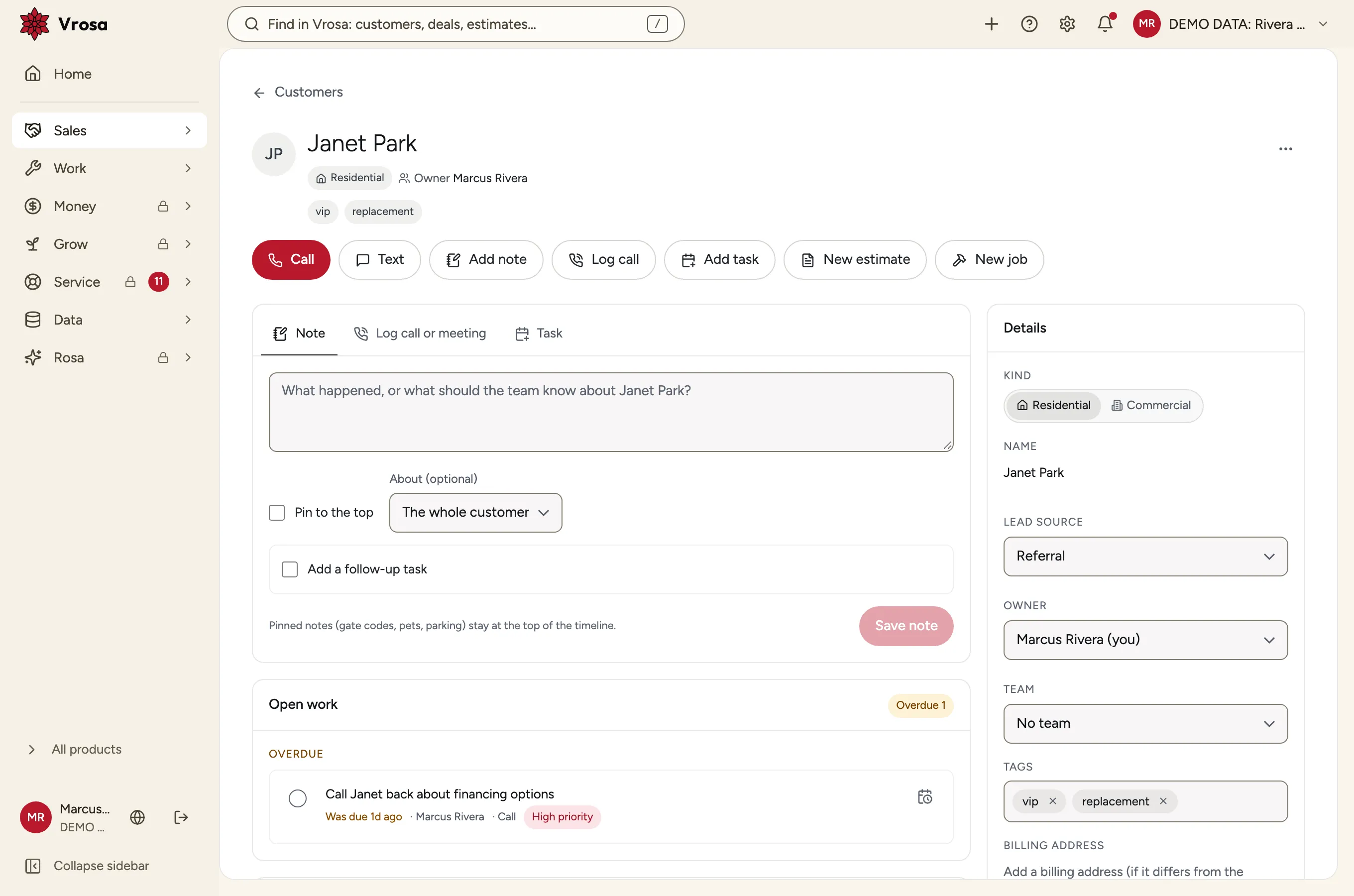
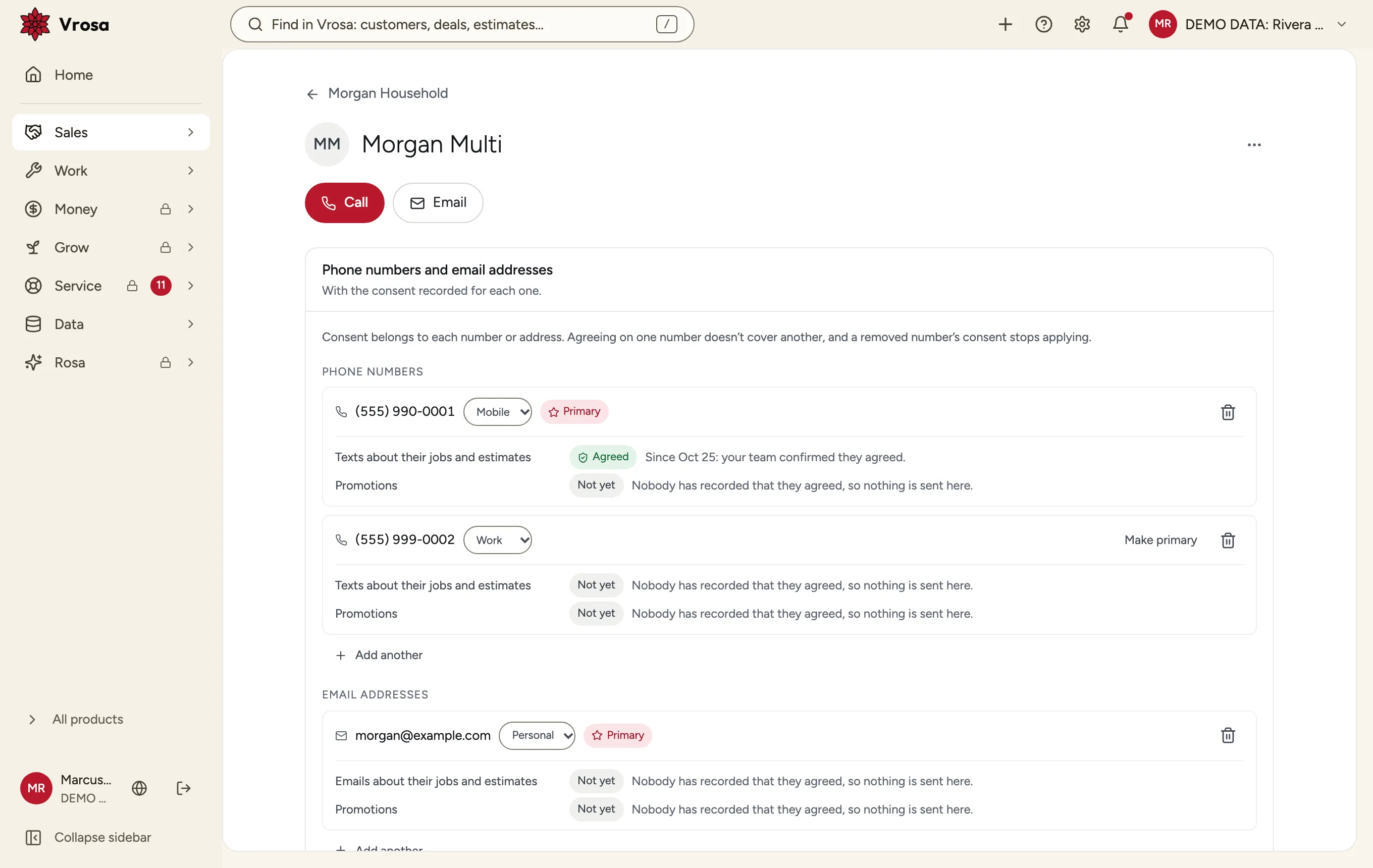
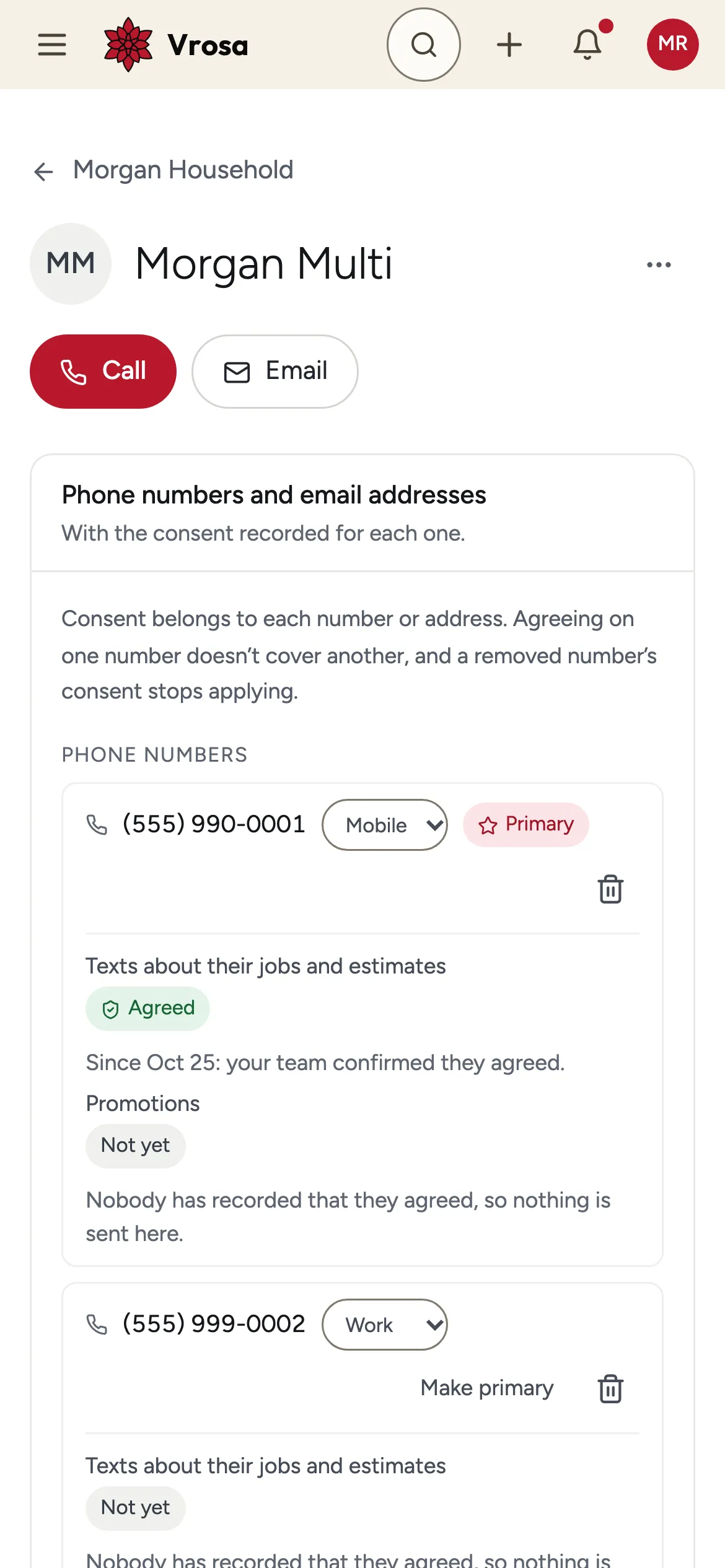
A customer is rarely just one phone number. Vrosa keeps the whole picture together, so your team always knows who they are talking to.
Screens show example data from one kind of business, a heating and cooling company. Your own customers, services and fields would appear in the same places.
Every area of Vrosa builds on the same record, so nothing is retyped and nothing slips between steps.
CRM
People, places and history in one record.
Explore CRMOperations
Jobs, appointments, scheduling and dispatch.
Explore OperationsAccounting
Invoices, recorded payments and accounting.
Explore AccountingMarketing
Reviews, referrals and repeat work.
Explore MarketingService
Support, feedback and customer health after the job.
Explore ServiceImport a spreadsheet or add people one at a time. Vrosa flags possible duplicates before anything is saved.
Each estimate keeps its customer, the work you quoted and the amount, in the same record as everything else.
Follow-up pauses when a customer replies, and a person can take over any conversation.
Estimates end as Accepted or Declined, so you can see what follow-up brought back.
Screens show example data from one kind of business, a heating and cooling company. Your own customers, services and fields would appear in the same places. Customer messaging is shown in demo mode.