
Vrosa CRM
Know every customer, person, and place.
Vrosa keeps the households, businesses, people, and properties you serve connected in one record, so your whole team starts every conversation with the full picture.
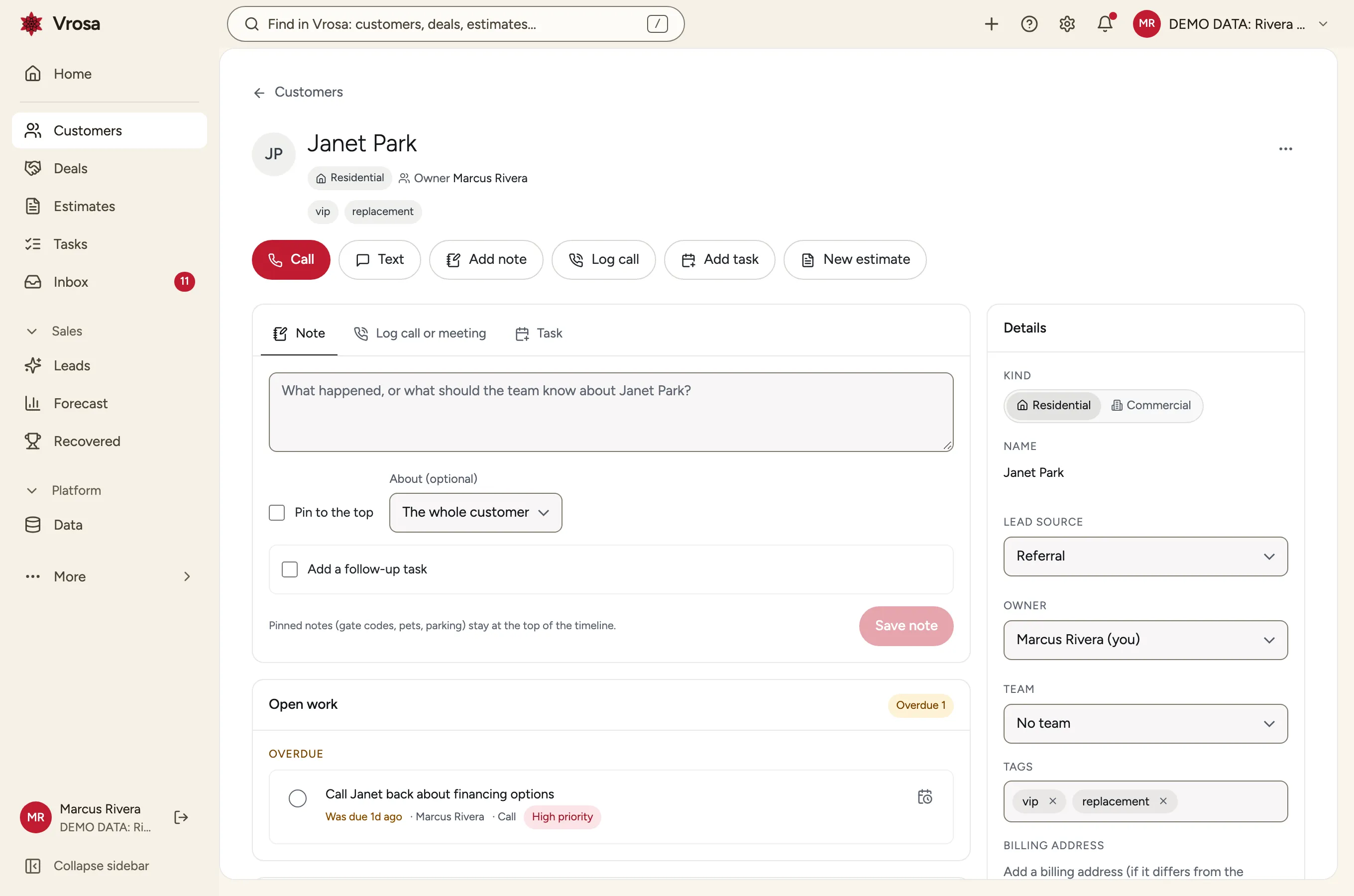
A CRM shaped like a home-service business
A generic contact list makes you choose: is the customer the person who called, the account that pays, or the address you drive to? In home services it is all three.
Vrosa keeps customers, the people attached to them, and the places you serve as linked records with roles and dates, so a landlord, a tenant, and a property manager can all be right at the same time.
- Residential and commercial customers
- People with roles such as primary, billing and site contact
- Places with roles such as owner, tenant and property manager
- Relationships that remember when they started and ended
Find the right customer in seconds
Search, filters and lists work across everything you store, so nobody needs a spreadsheet on the side.
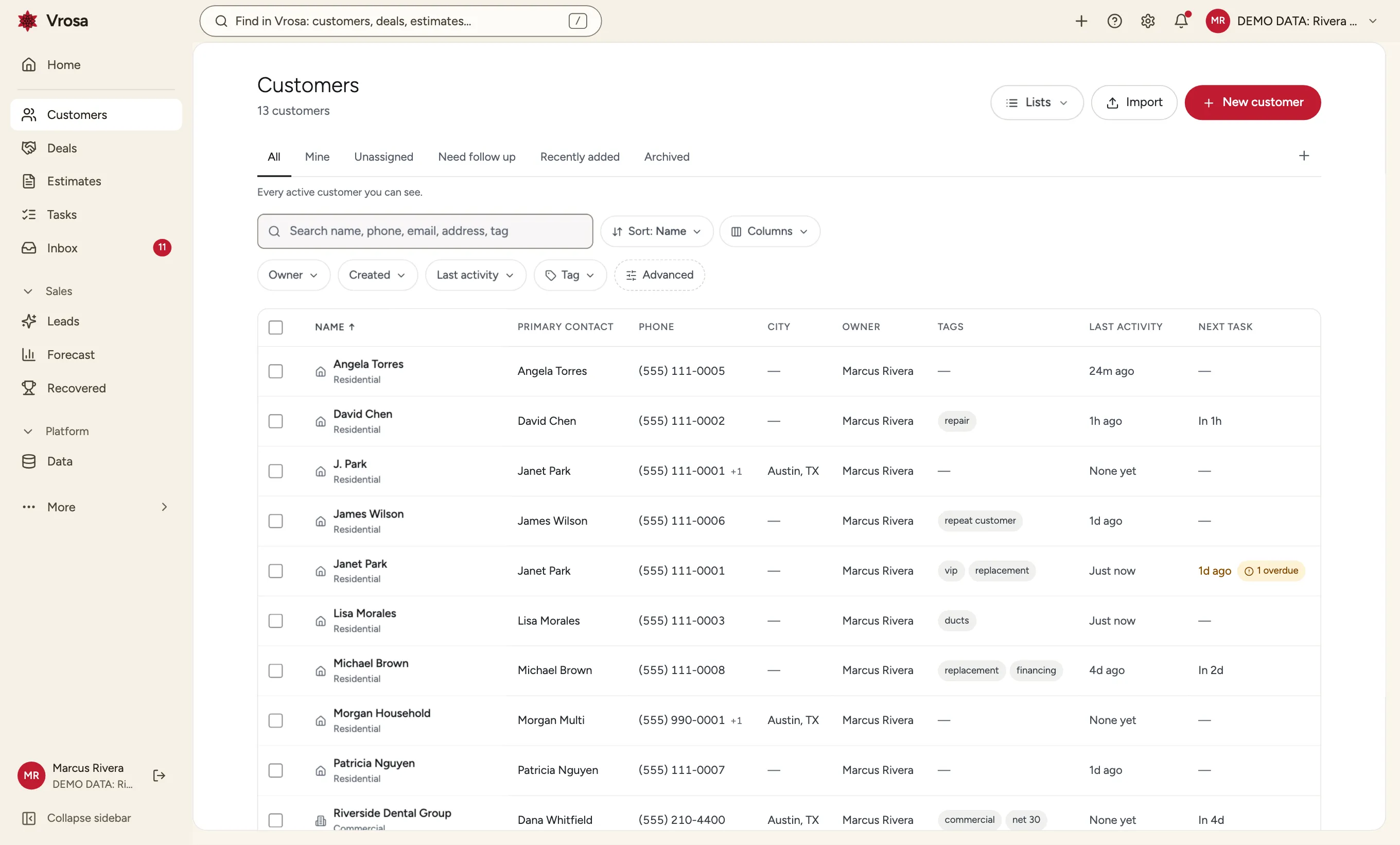
Search customers, people, places, phone numbers and email addresses from one box. A match on any of a person's numbers or addresses finds them.
- One search for customers, people and places
- Matches any number or email a person has
- Press / from anywhere
Search that understands people
Search customers, people, places, phone numbers and email addresses from one box. A match on any of a person's numbers or addresses finds them.
- One search for customers, people and places
- Matches any number or email a person has
- Press / from anywhere
Filters and saved views
Build conditions like city, tag, owner or last contact, then save the result as a view your team can reuse. A view that updates itself from its rules is called a segment.
- Combine as many conditions as you need
- Personal and shared views
- Counts that follow each person's access
Hand-picked lists
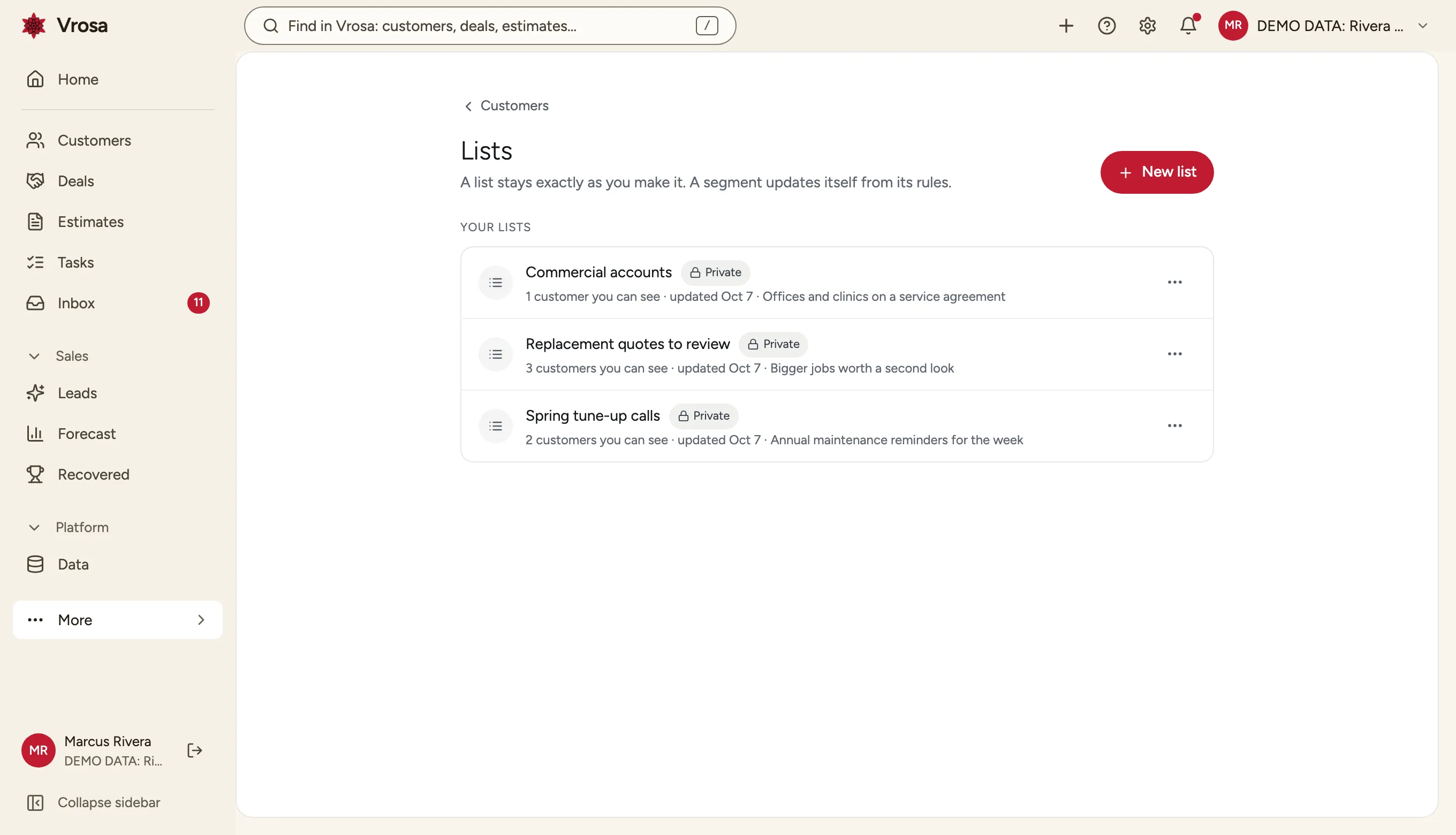
Add customers to a list for a call day or a special visit. A list stays exactly as you make it, while a segment updates itself from its rules.
One shared set of tags
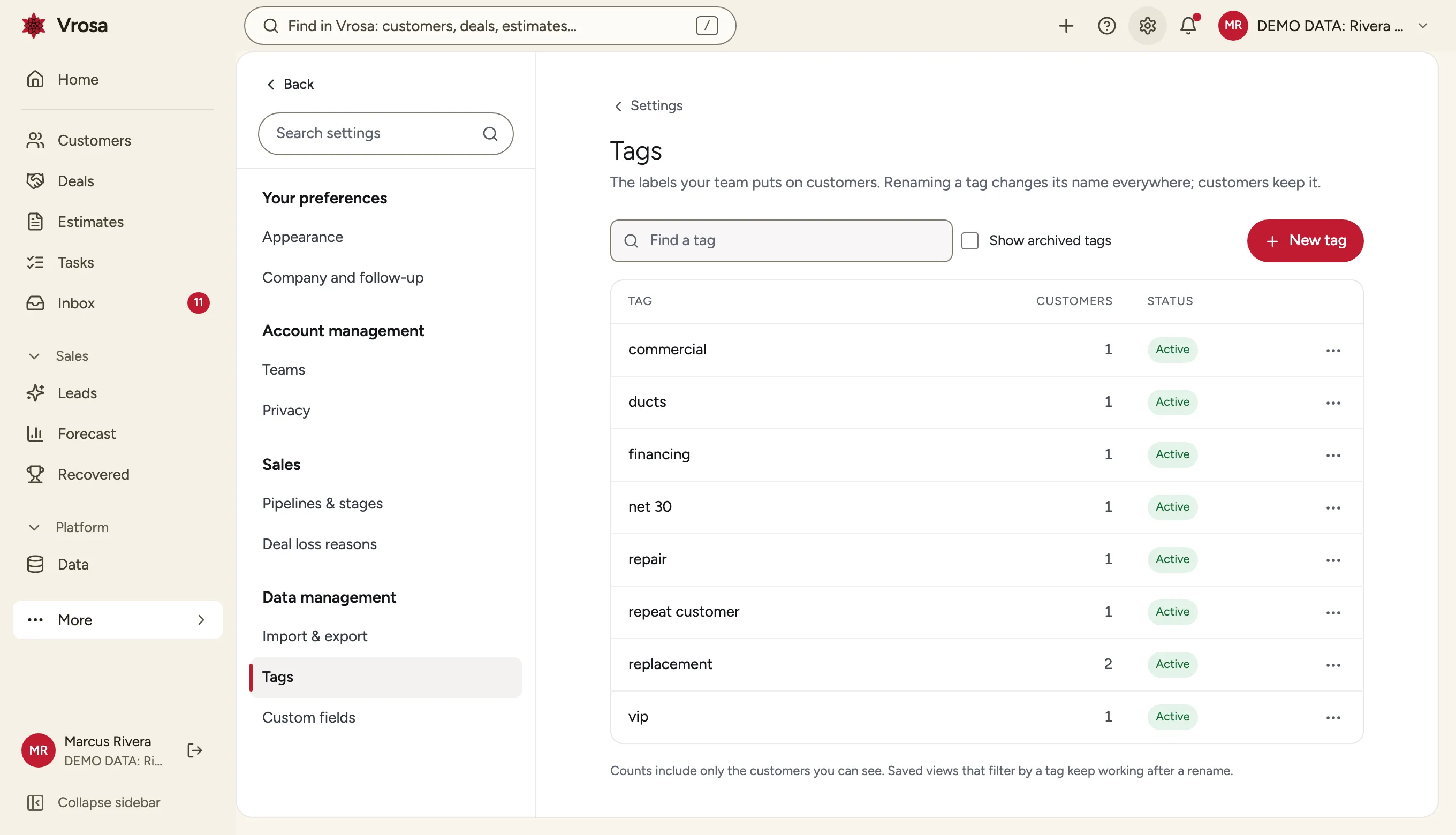
Tags live in a catalog you can rename, archive and merge, so VIP and vip never turn into two different things.
Keep your data clean
Duplicate customers and half-filled records cost real money. Vrosa catches them while they are cheap to fix.
While you type a new customer, Vrosa checks every number, email and address against what you already have. If two records are the same customer, merge them, see exactly what moved, and undo the merge later if it was a mistake.
- Warns before you create a duplicate
- Shows the likely matches side by side
- Every merge can be undone
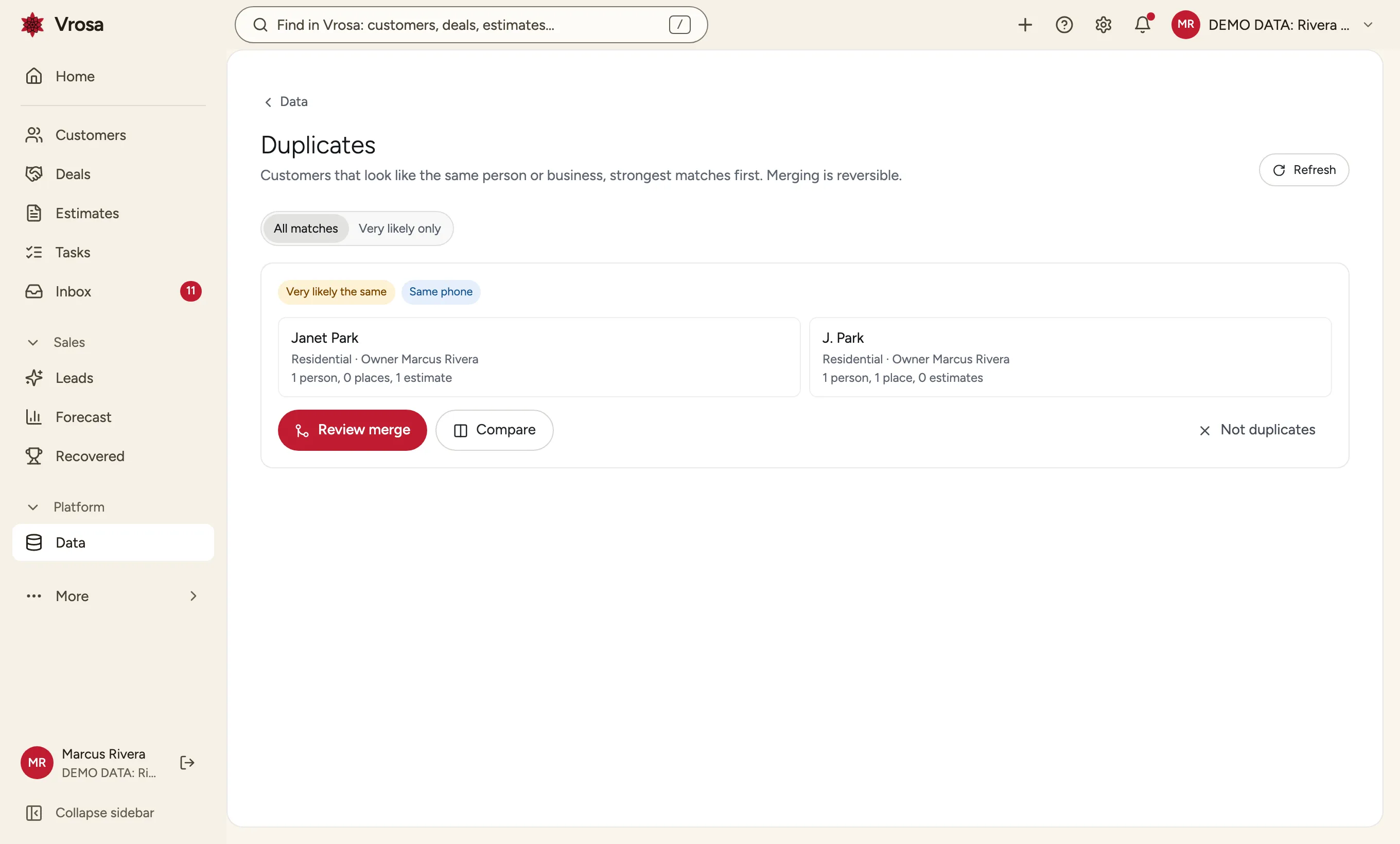
Duplicate warnings and reversible merges
While you type a new customer, Vrosa checks every number, email and address against what you already have. If two records are the same customer, merge them, see exactly what moved, and undo the merge later if it was a mistake.
- Warns before you create a duplicate
- Shows the likely matches side by side
- Every merge can be undone
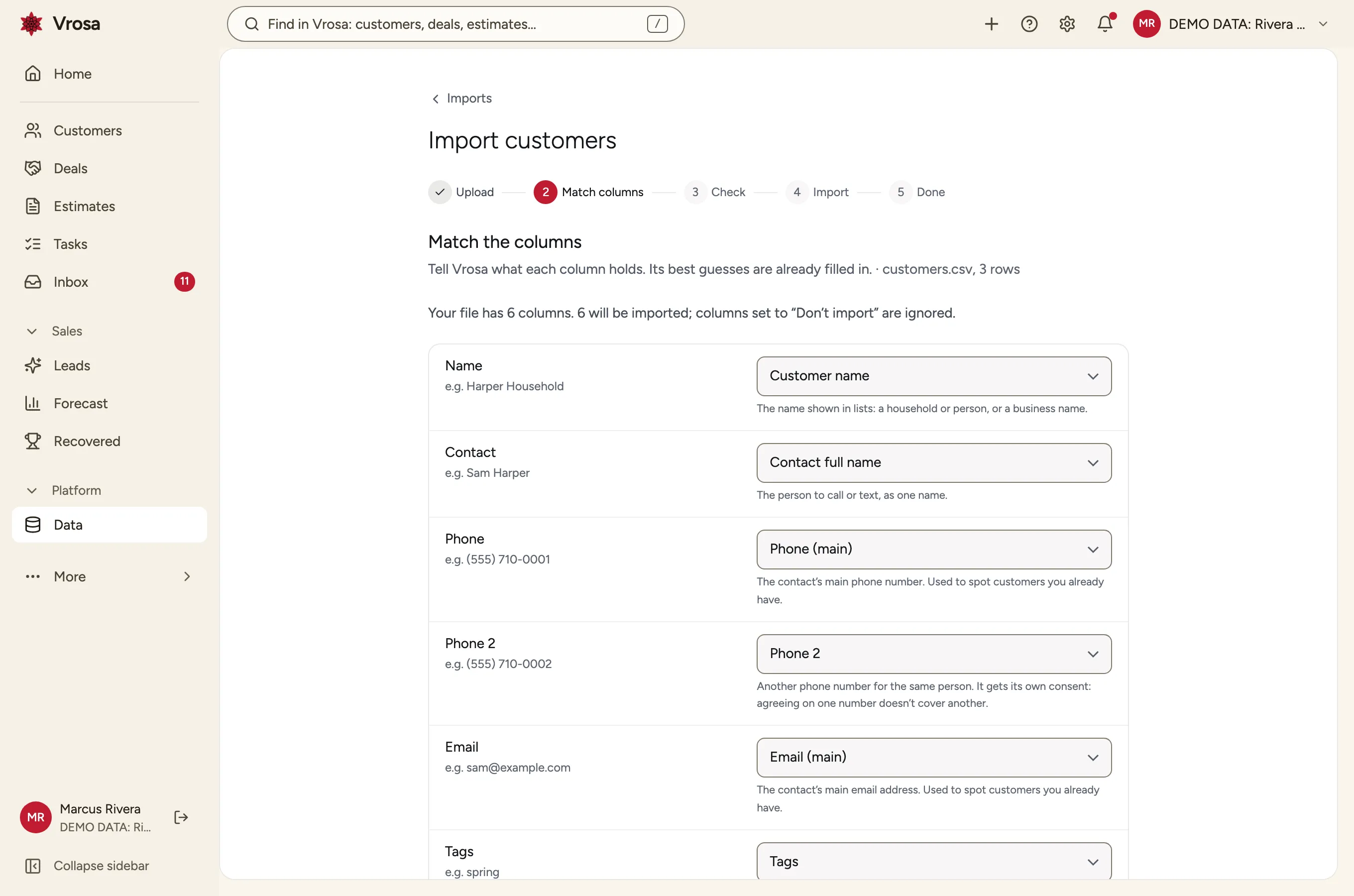
Import with a preview
Bring in a spreadsheet, match its columns, and see what would be added, skipped or flagged before anything is saved. Undo an import from its history.
- Several phone numbers and emails per person
- Already-existing customers are left alone
- Skipped rows come back with the reason
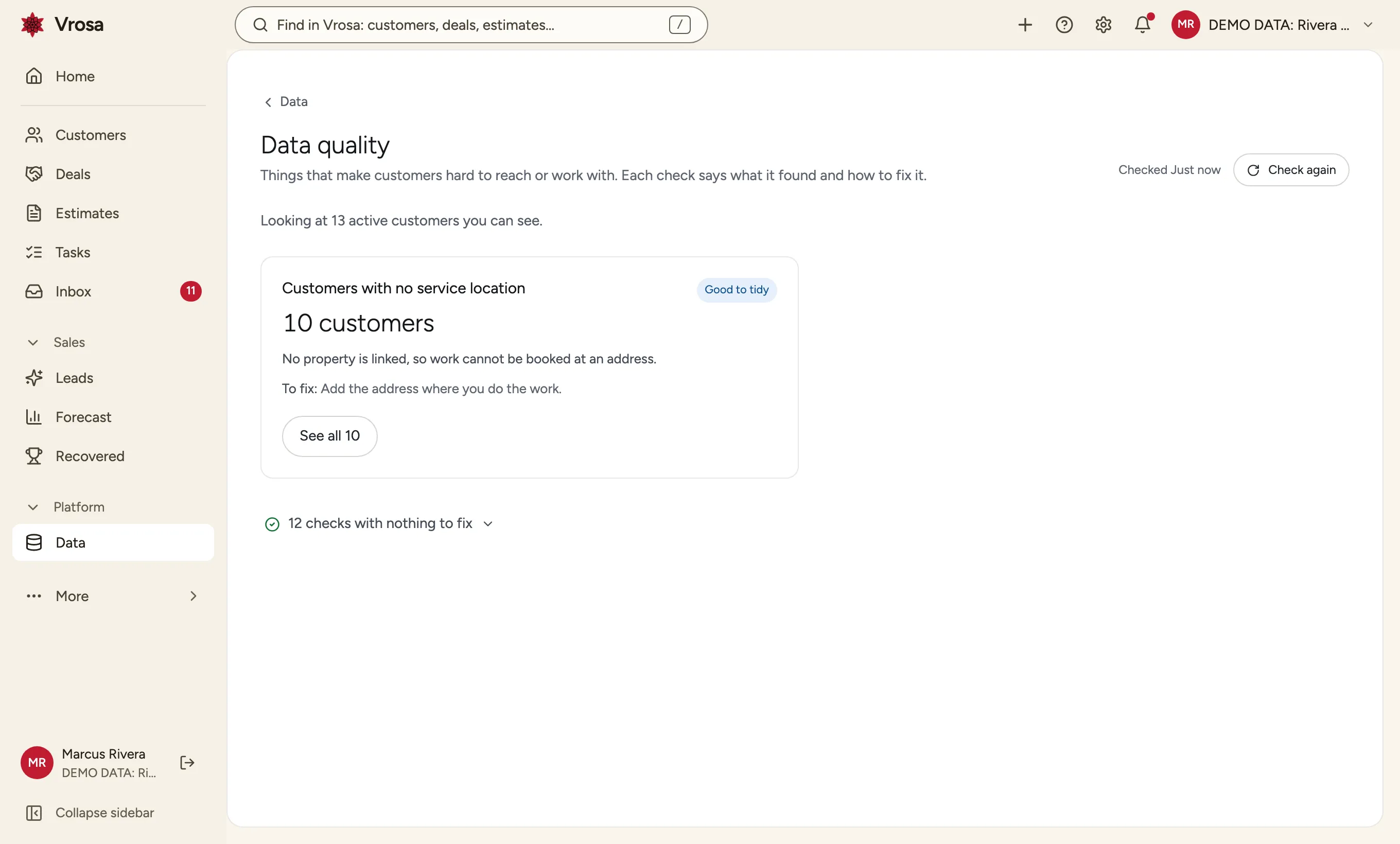
Data quality checks
A short list of the things that make customers hard to reach or serve, such as no phone number or no service address, each with a way to fix it.
Work together on every customer
The record is where the team does its work, not just where it stores facts.
Notes, calls, tasks, messages and estimates land on one timeline, with open work at the top. Pin the gate code or the dog's name so nobody has to ask twice.
Explore customer recordsTimeline, notes and tasks
Notes, calls, tasks, messages and estimates land on one timeline, with open work at the top. Pin the gate code or the dog's name so nobody has to ask twice.
Explore customer records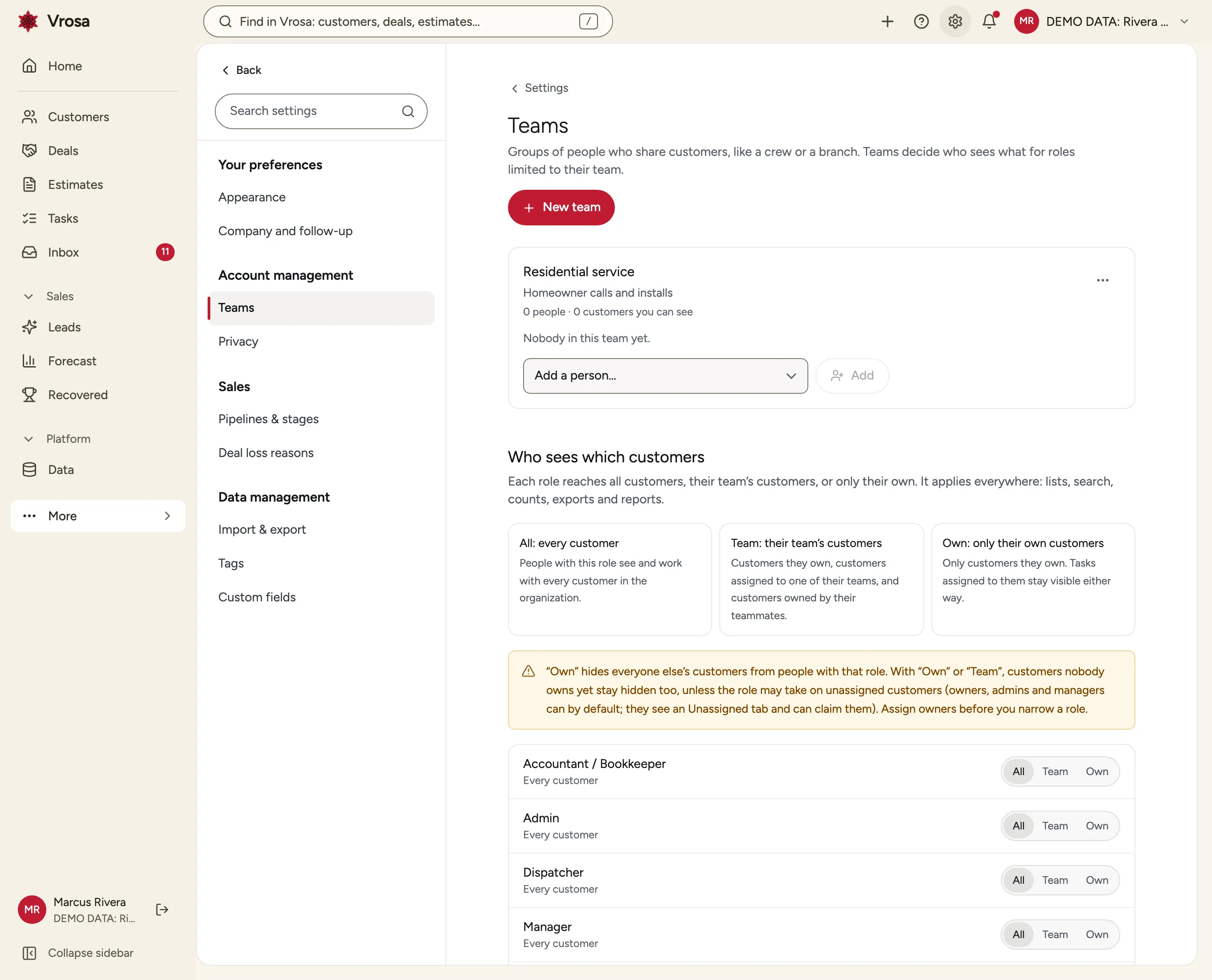
Teams and who sees what
Give each role access to all customers, their team's customers, or only their own, and Vrosa applies it to search, lists, counts and exports alike.
Explore Team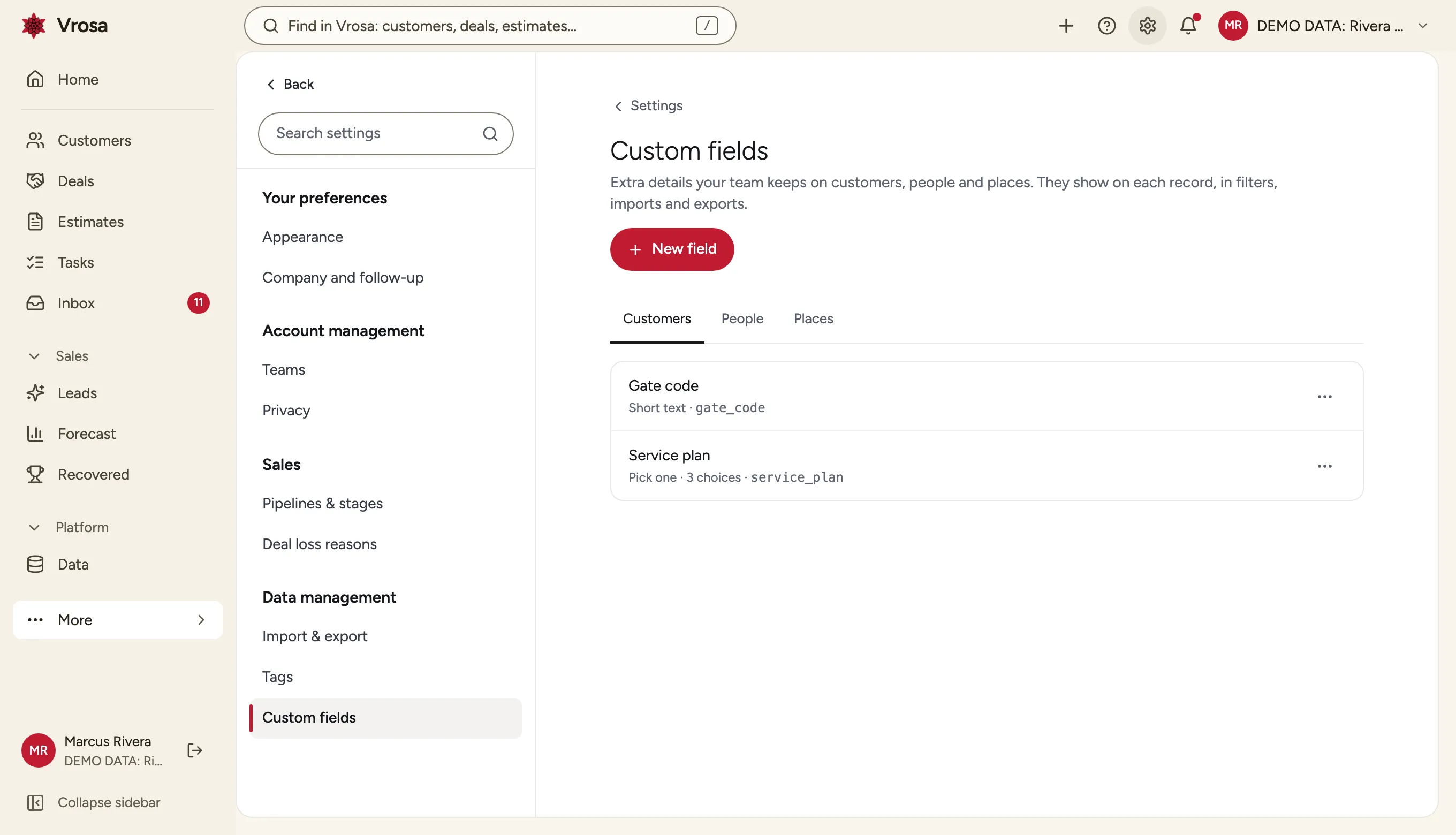
Fields your business needs
Add custom fields to customers, people or places, then use them in filters, imports and exports.
See the CRM with your own customers in mind
Tell us how you track customers today and we will show you how it looks in Vrosa.
One record that every part of Vrosa builds on
Add a customer once. Everything else attaches to the same record.
Estimates
Every estimate belongs to a customer, a person and a place.
Conversations
Replies land next to the estimate they are about.
One platform
Operations, money and more build on the same record.
Part of one connected platform
Every area of Vrosa builds on the same customer record.
Questions
Can I try the CRM?
Vrosa is shown through guided demos with example data. Get a demo and we will walk through the CRM with your business in mind.
Is it only for home-service businesses?
It is designed for them first, with trades like HVAC, plumbing, electrical, roofing, landscaping and cleaning in mind, but the model of customers, people and places fits many service businesses.
Can I bring in my existing customers?
Yes. You can import a spreadsheet, match the columns, and review exactly what will be added before anything is saved. You can undo an import afterwards.
Does it send messages to customers?
Customer messaging runs in demo mode. Vrosa tracks consent for each phone number and email address separately, so consent is already in place before sending is turned on.
Can I erase a customer's personal data?
Vrosa includes privacy tools that preview exactly what would be erased and what would stay, then erase a customer's or person's personal data on confirmation. They are technical tools and not legal advice.