Vrosa Data
Keep your records clean and connected.
Data brings your customers in with a preview, flags what is missing, merges duplicates you can undo, and lets you shape records to the way your business works.
Screens show example data from one kind of business, a heating and cooling company. Your own customers, services and fields would appear in the same places.
Records you can trust
Spreadsheets, old software and years of notes rarely line up. Duplicate customers, missing phone numbers and half-filled addresses quietly make every other part of the business harder.
Data gives you the tools to bring information in safely, see what needs attention and fix it, with a history of what changed.
- Import with a preview before anything is saved
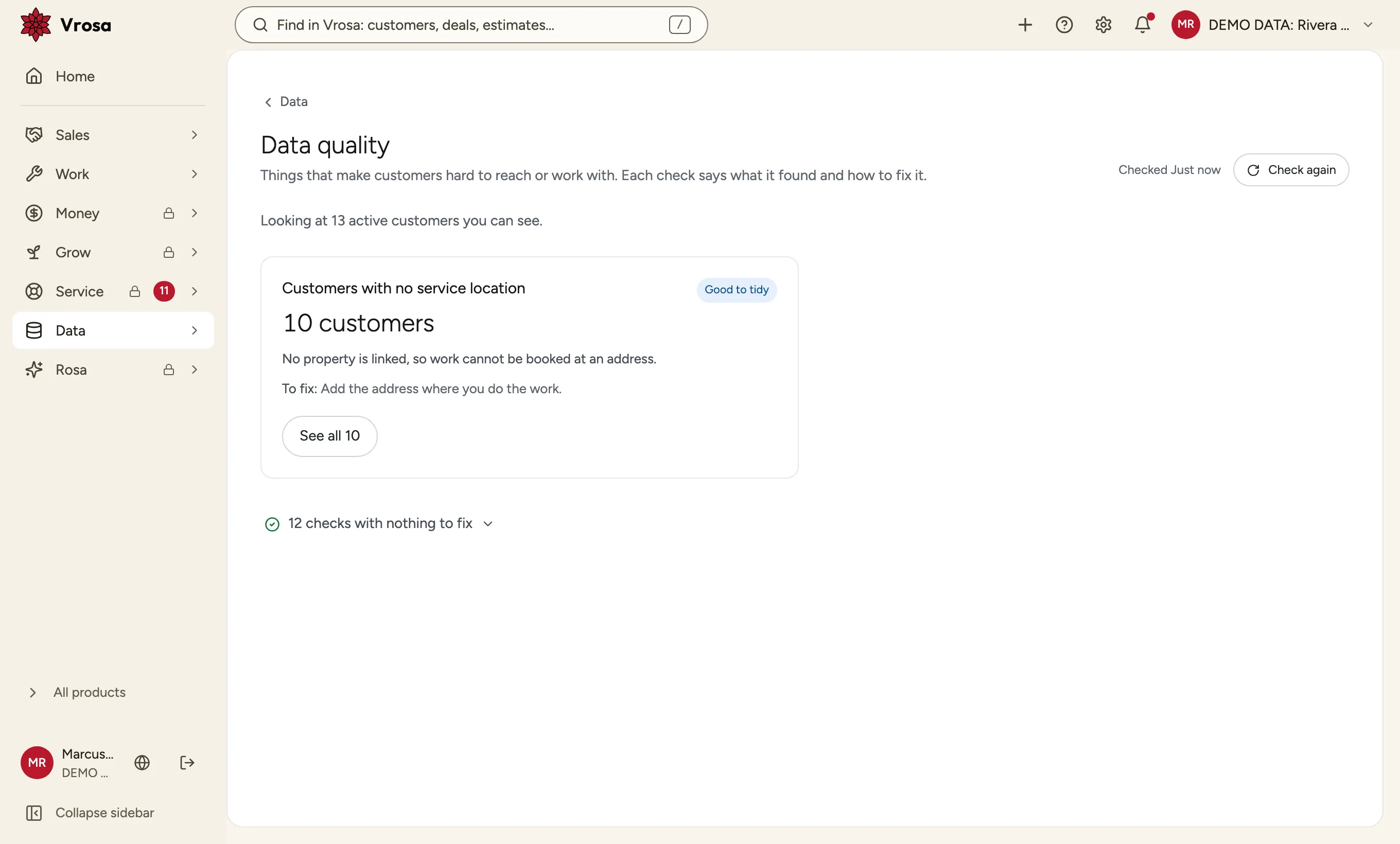
- Quality checks with a way to fix each one
- Duplicates merged, and a merge can be undone
Bring data in and keep it clean
Three tools that work together on the customer record.
Screens show example data from one kind of business, a heating and cooling company. Your own customers, services and fields would appear in the same places.
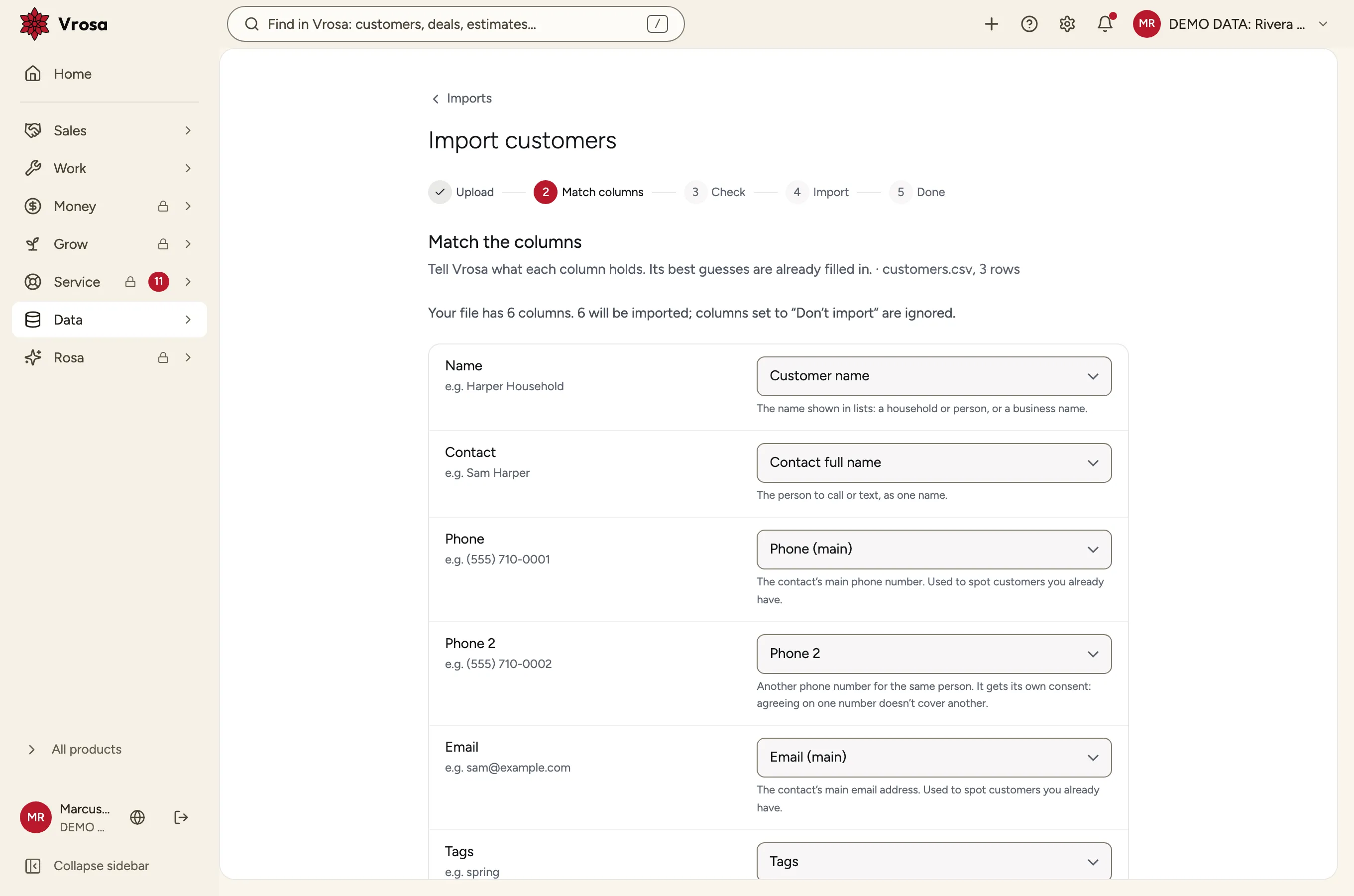
Bring in a spreadsheet, match its columns, and see what would be added, skipped or flagged before anything is saved. Undo an import from its history.
- Several phone numbers and emails per person
- Already-existing customers are left alone
- Skipped rows come back with the reason
Import with a preview
Bring in a spreadsheet, match its columns, and see what would be added, skipped or flagged before anything is saved. Undo an import from its history.
- Several phone numbers and emails per person
- Already-existing customers are left alone
- Skipped rows come back with the reason
Data quality checks
A short list of the things that make customers hard to reach or serve, such as no phone number or no service address, each with a way to fix it.
Duplicate warnings and reversible merges
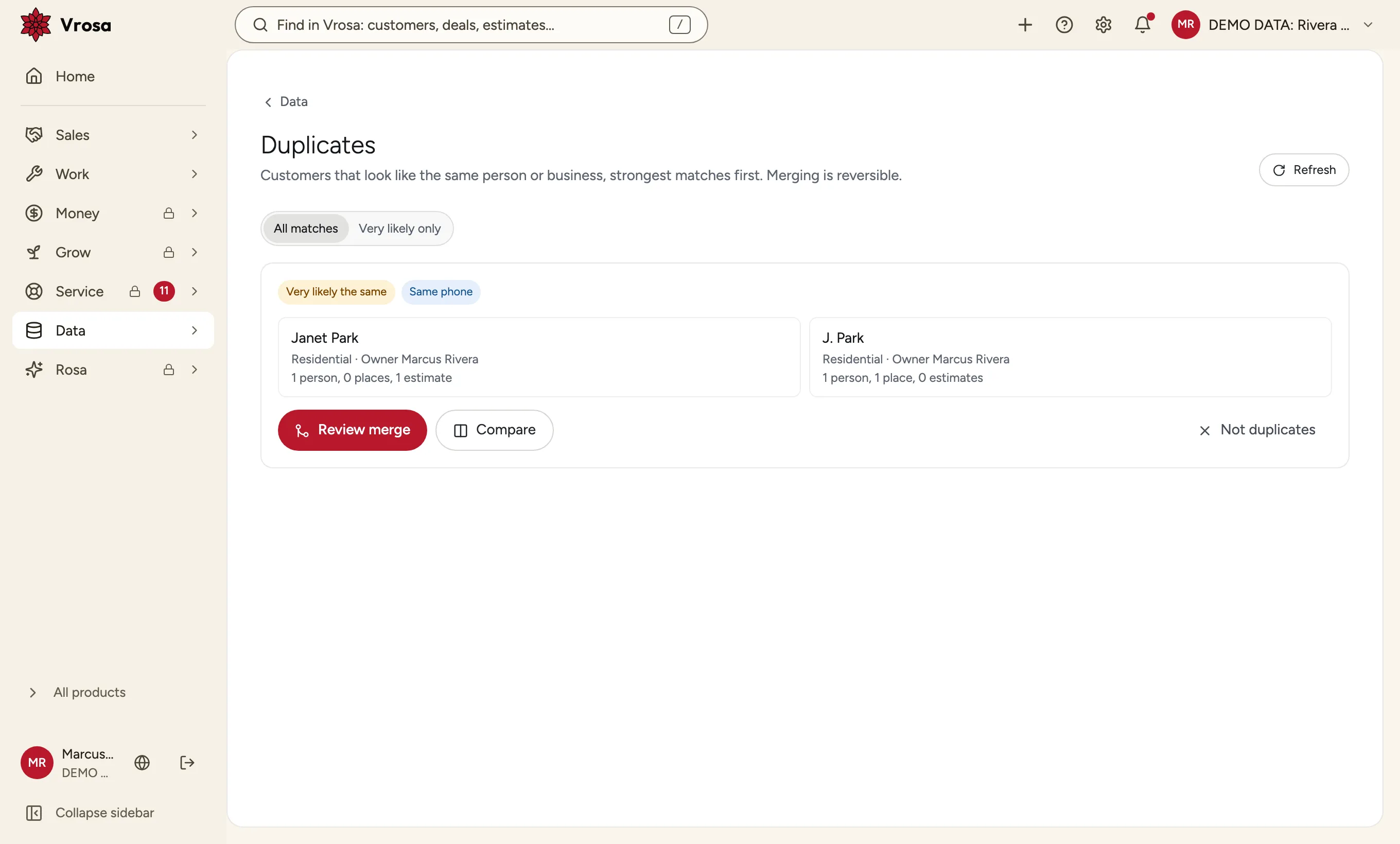
As you type a new customer, Vrosa checks every number, email and address against what you have. If two records are the same customer, merge them, see what moved, and undo it later.
- Warns before you create a duplicate
- Shows the likely matches side by side
- Every merge can be undone
Shape records to your trade
The fields and labels are yours to choose, and every change keeps a history.
Screens show example data from one kind of business, a heating and cooling company. Your own customers, services and fields would appear in the same places.
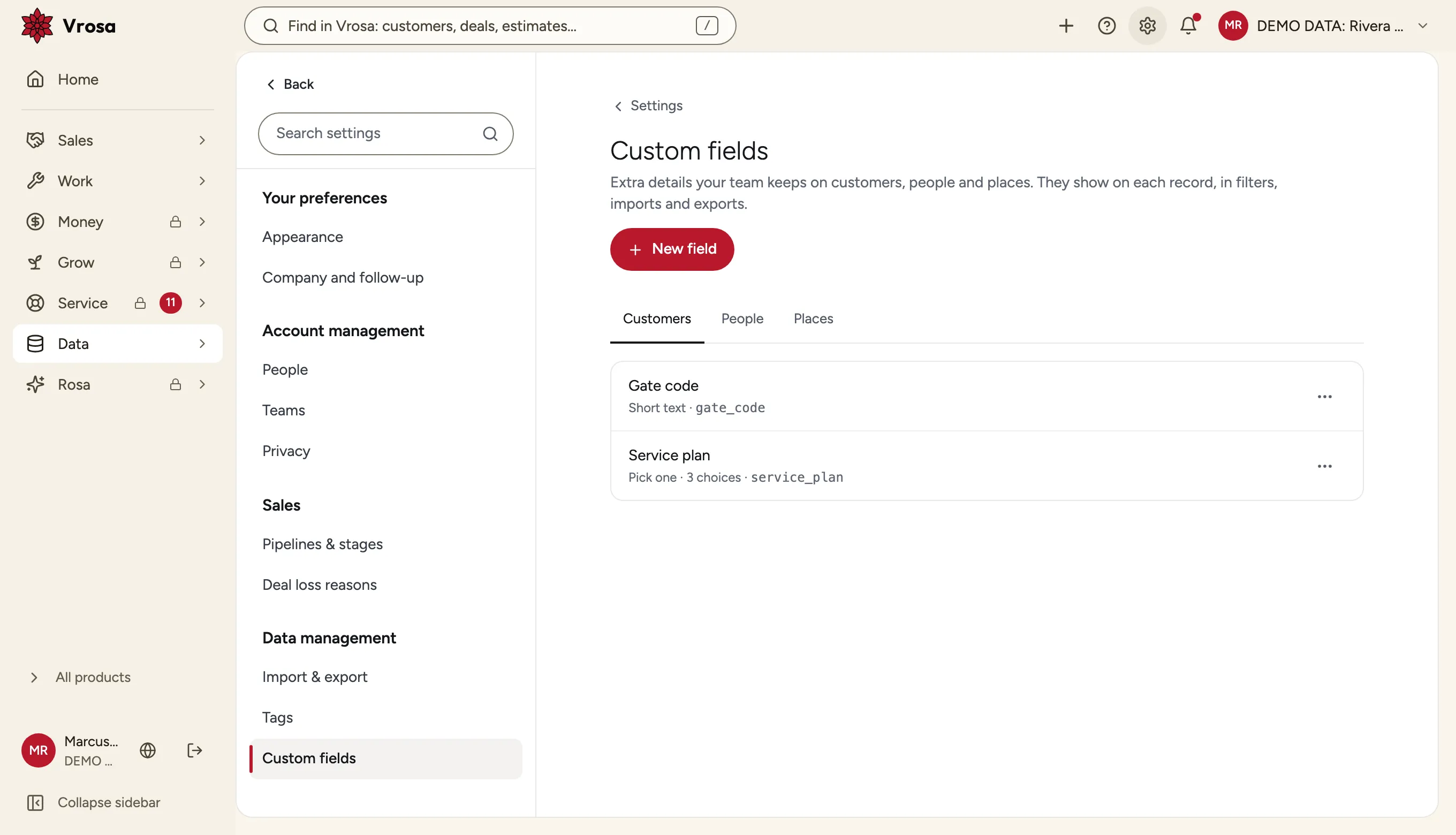
Add custom fields to customers, people or places, then use them in filters, imports and exports.
Fields your business needs
Add custom fields to customers, people or places, then use them in filters, imports and exports.
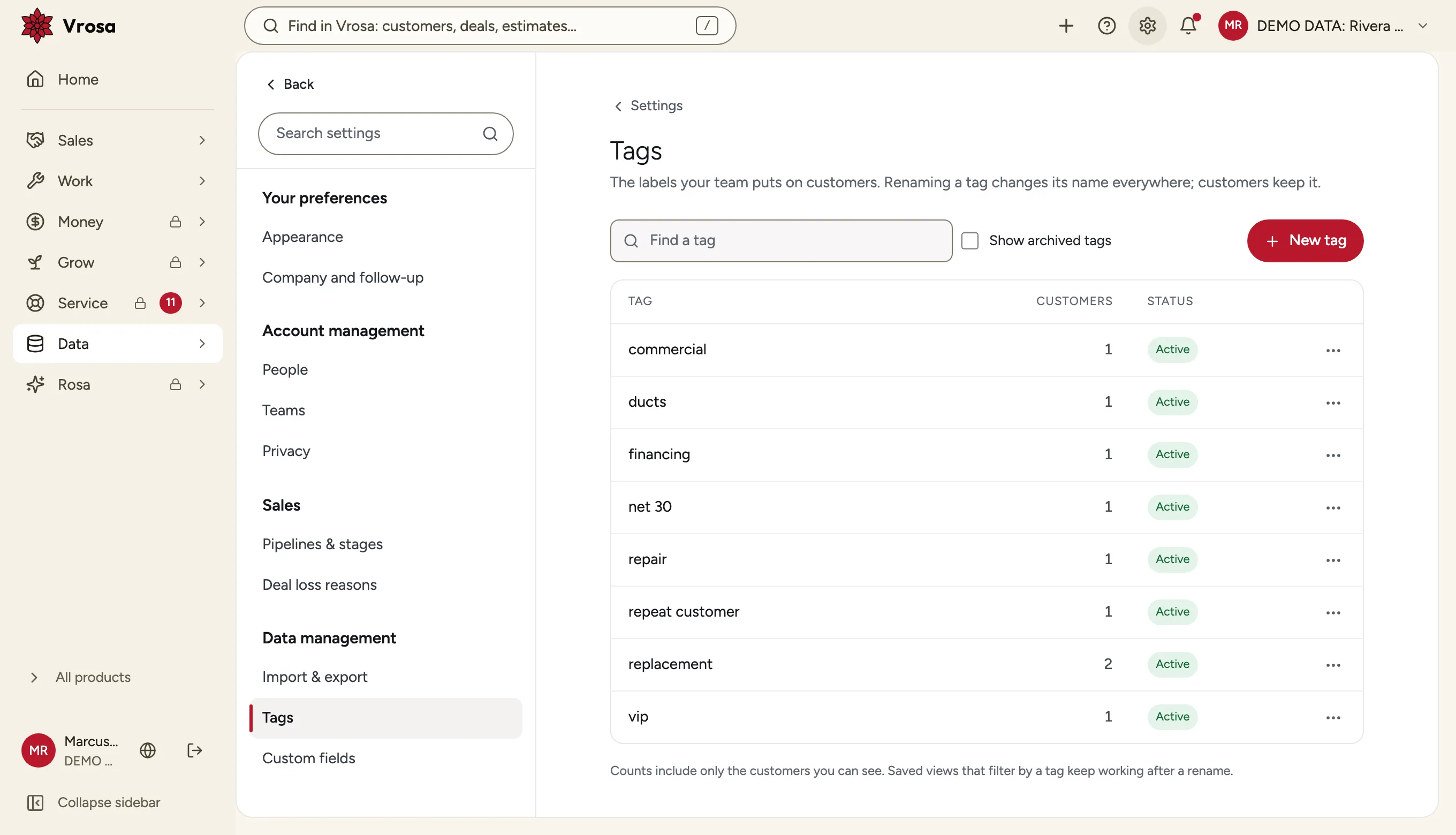
One shared set of tags
Tags live in a catalog you can rename, archive and merge, so VIP and vip never turn into two different things.
What the history shows
- The field that changed
- The old and new value
- Who changed it, and how
A change history you can read
See who changed which field, and when, for customers and the records connected to them.
Connect and build on your data
The direction for Data: it builds on the import, quality and history tools above and is not part of what guided demos show.
Illustrations show the direction of the system. Guided demos focus on customer records and estimate follow-up.
Keep Vrosa and the tools a business already uses up to date with each other, with control over what syncs.
Connect the tools you use
- Choose what stays in sync
- See sync problems in one place
- A history of what synced
Connect the tools you use
- Choose what stays in sync
- See sync problems in one place
- A history of what synced
Connect the tools you use
Keep Vrosa and the tools a business already uses up to date with each other, with control over what syncs.
Build on your data
- Keys with limited access
- Documented endpoints
- Signed event requests
Build on your data
A documented API and events sent to your own systems, with keys and limits you control.
Your own record types
- Define the record types you need
- Link them to customers and jobs
- Search and filter them
Your own record types
Track things beyond customers and jobs, such as the equipment at a property.
Tell us where your records get messy
We are listening closely. Tell us what you are bringing in, and what is hardest to keep clean.
Nothing changes without a preview or a history
Imports show what will happen before they save, merges can be undone, and changes keep a history.
Preview first
See what an import would add, skip or flag.
Undo
Merges and imports can be reversed.
History
See who changed what, and when.
Part of one connected system
Every area of Vrosa builds on the same customer record.
Questions
What does Data cover?
Importing customers with a preview, quality checks, duplicate merging, custom fields, tags and a change history, all on the customer record.
What can I see in a demo?
Guided demos show the import preview, the data quality checks and duplicate merging with example data. Ask us what else is ready to show.
Can I bring my existing customers in?
Yes. Import from a spreadsheet, match the columns, and review what would be added, skipped or flagged before anything is saved.
Does Vrosa connect to my other software?
Vrosa does not list any integrations today. Connecting the tools a business already uses is the direction for Data. Ask the team what is ready to show.