
Vrosa Sales
Win more of the work you already quoted.
Vrosa Sales starts where revenue quietly leaks: the estimates that never got a clear answer. It keeps every quote, every conversation and every outcome in one place.
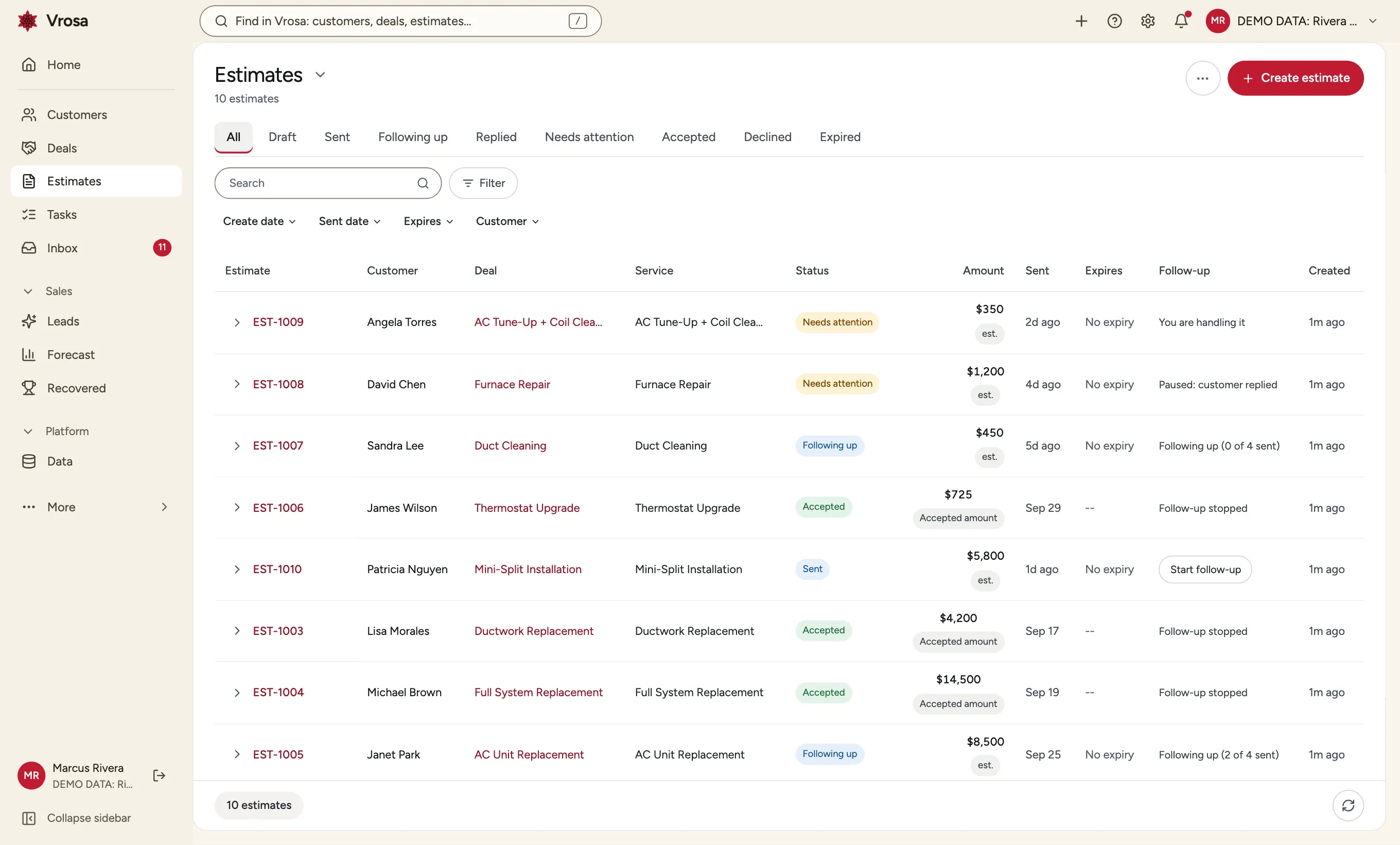
Quotes are where revenue quietly leaks
A quote goes out, the customer gets busy, and nobody follows up until it is too late. It is not a lack of effort. It is a lack of a system that remembers.
Vrosa Sales gives every estimate a follow-up schedule, a place for the customer's reply, and a clear ending: Accepted or Declined, with the reason when it is declined.
- A follow-up plan for every estimate
- Replies in one inbox, with a flag when a person is needed
- Outcomes that end as Accepted or Declined
Follow up without chasing
The first workflow Vrosa built is estimate follow-up, and it is the backbone of Sales.
Choose the days and the words. Vrosa follows up the way you would, and pauses as soon as the customer answers.
Explore estimate follow-up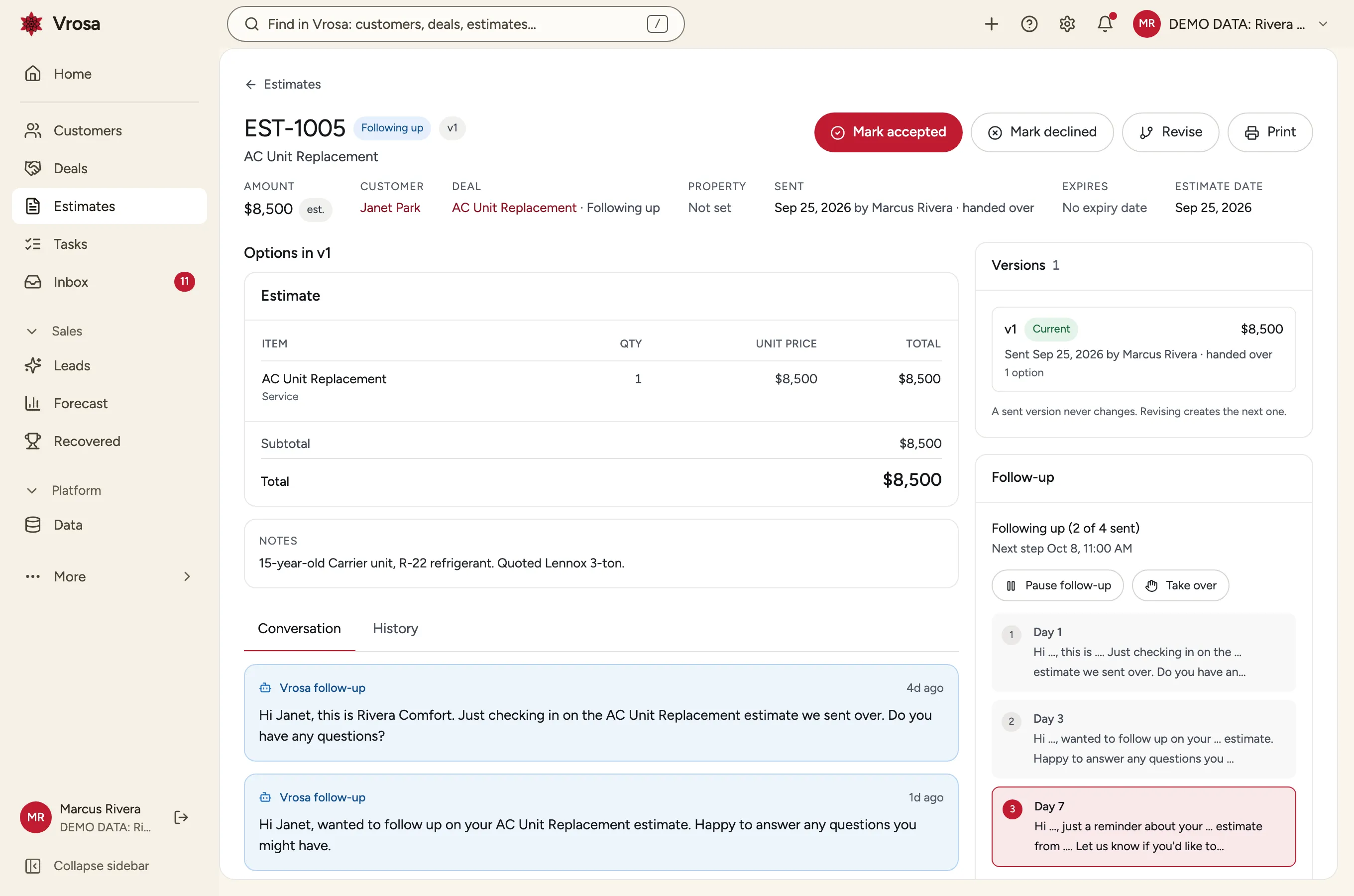
A schedule you control
Choose the days and the words. Vrosa follows up the way you would, and pauses as soon as the customer answers.
Explore estimate follow-up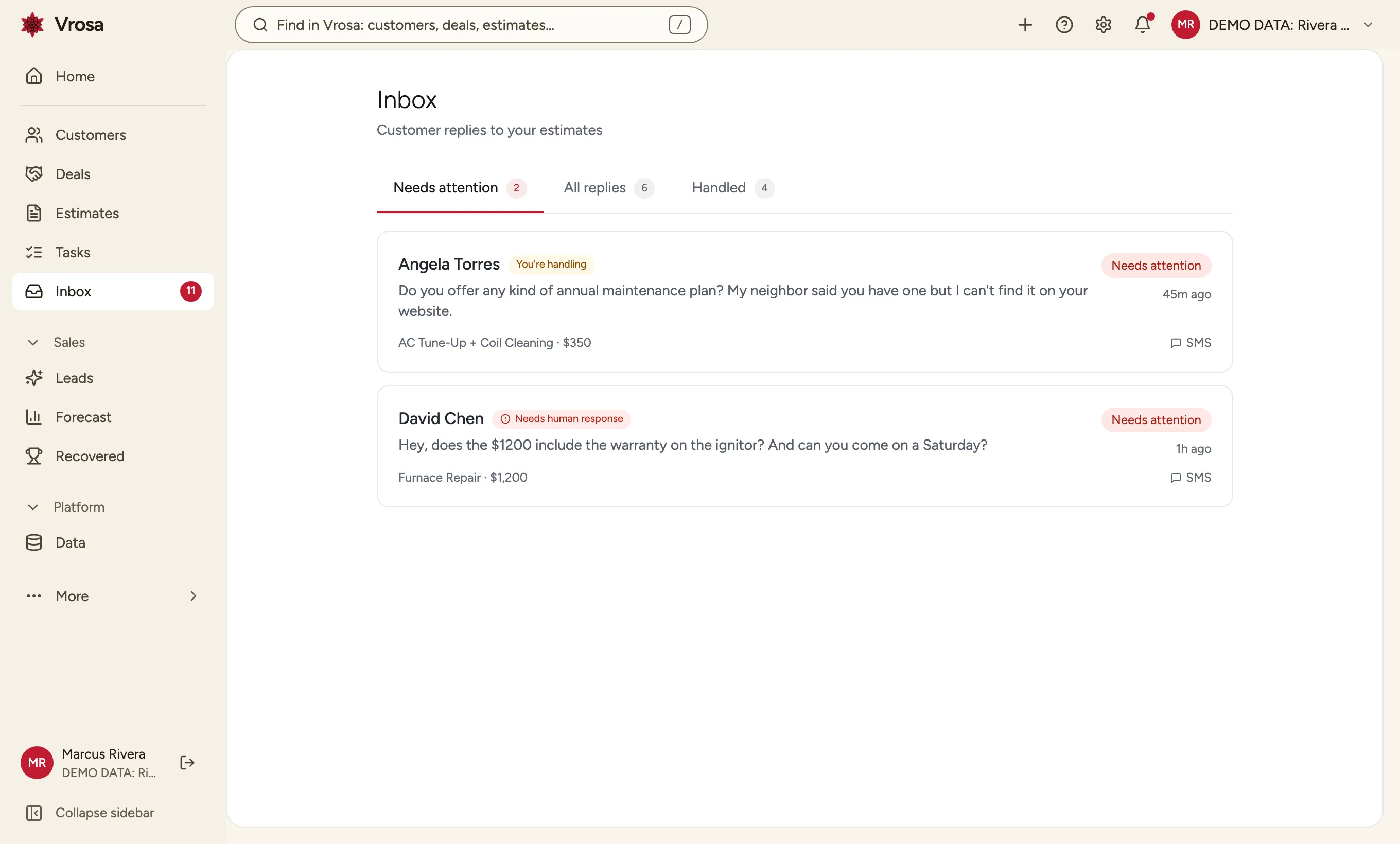
Replies come back to your team
Customer replies land in one inbox. When a message needs a person, it is flagged so someone can step in.
A person can take over
Pause the plan and take over any conversation when it matters, then hand it back or close it out.
Know what happened
Every estimate ends somewhere, and you can see where.
Mark an estimate Accepted or Declined. When it is declined, record why, so you learn from the work you do not win.
Accepted or declined, with the reason
Mark an estimate Accepted or Declined. When it is declined, record why, so you learn from the work you do not win.
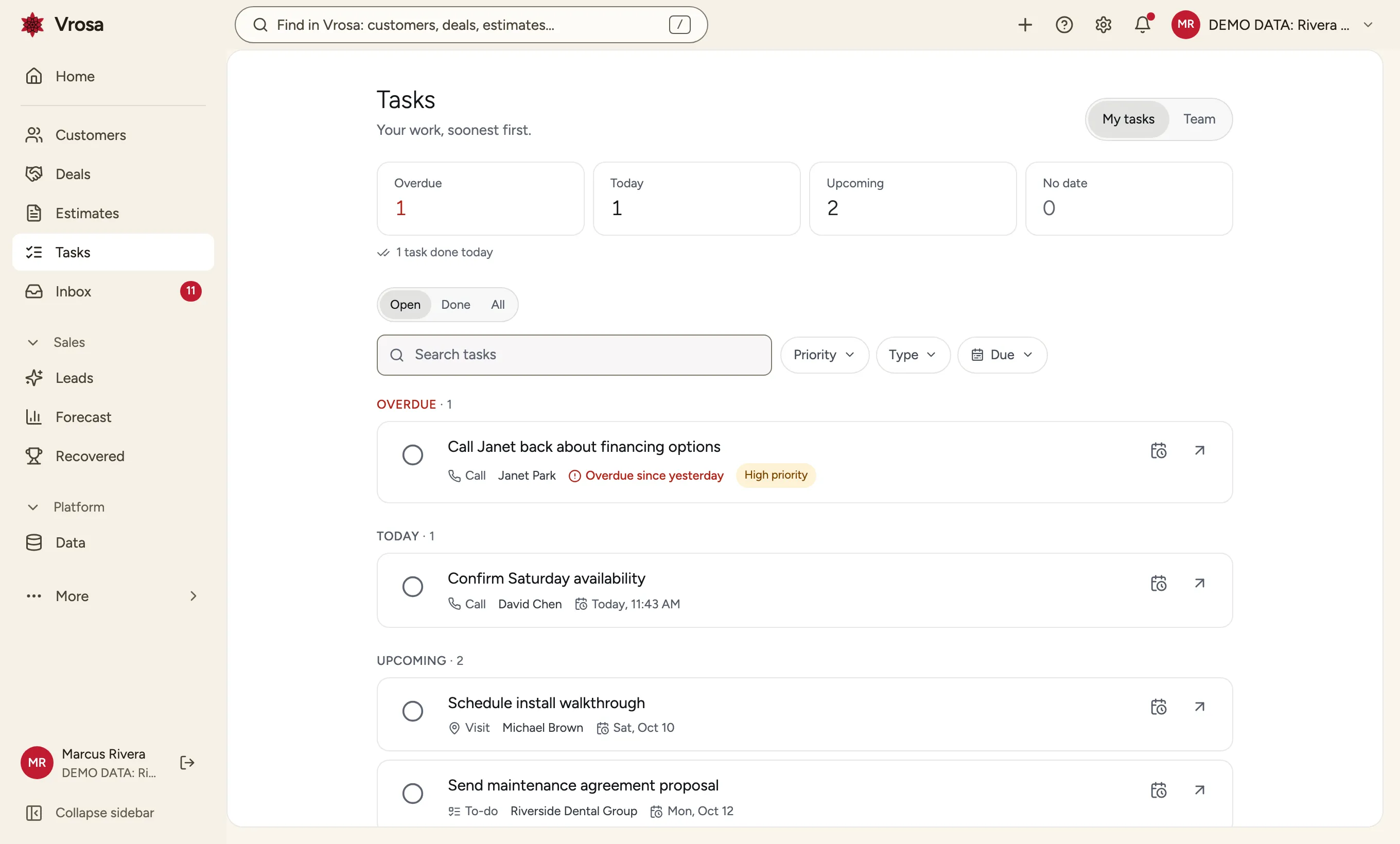
Tasks for the human parts
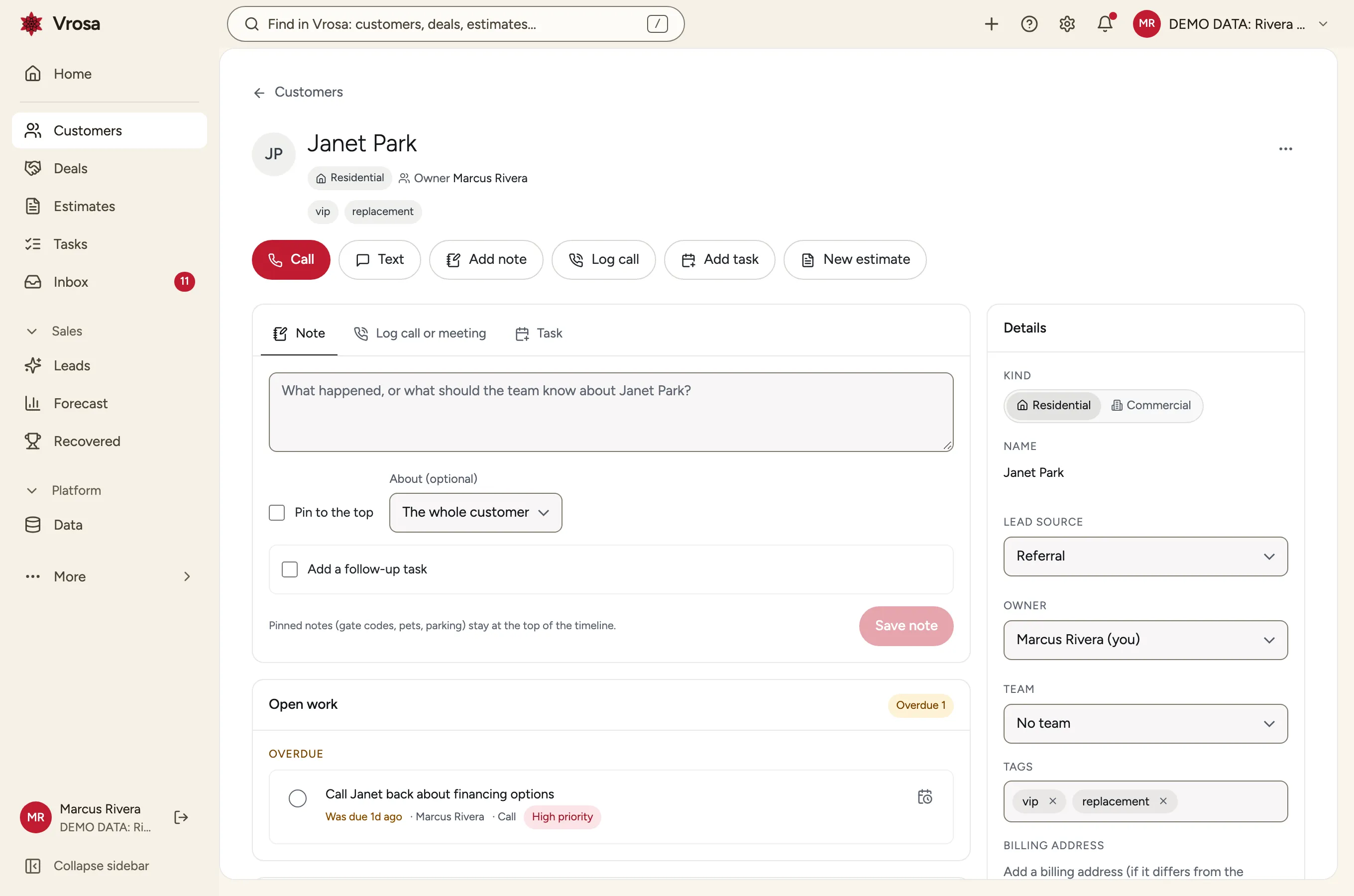
Add a call-back or a site visit as a task on the customer, with an owner and a due date, and see overdue work at a glance.
Everything stays on the customer record
Estimates and conversations attach to the same customer, person and place as everything else.
Explore customer records
The whole sales picture
Follow-up is where Sales starts. Pipelines and estimate building extend it.
Illustrations show the direction of the platform. Guided demos focus on customer records and estimate follow-up.
Track the opportunities you are trying to win, from first contact to a decision, and keep Won and Lost for opportunities separate from Accepted and Declined for estimates.
Opportunity pipelines
- A pipeline of opportunities by stage
- Won and Lost for opportunities, kept distinct from Accepted and Declined for estimates
- Reasons you can report on
Opportunity pipelines
- A pipeline of opportunities by stage
- Won and Lost for opportunities, kept distinct from Accepted and Declined for estimates
- Reasons you can report on
Opportunity pipelines
Track the opportunities you are trying to win, from first contact to a decision, and keep Won and Lost for opportunities separate from Accepted and Declined for estimates.
Estimate building
- Line items and options
- Expiry dates and resending
- A customer-ready estimate
Building estimates in Vrosa
Write the estimate where the customer, the place and the follow-up already live.
See how Vrosa follows up on your estimates
Bring a few real quotes and we will show you how follow-up would run for them.
Estimate follow-up is the first workflow. Sales is the platform around it.
Follow-up, conversations and outcomes come first. Pipelines and estimate building extend them on the same record.
Follow-up first
Follow-up plans, reply handling, Accepted and Declined.
Then the pipeline
Opportunity pipelines and building estimates in Vrosa.
Always connected
Every sales activity lives on the customer record.
Part of one connected platform
Every area of Vrosa builds on the same customer record.
Questions
What is the difference between Accepted and Won?
Accepted and Declined describe an estimate. Won and Lost are reserved for opportunities in a sales pipeline. Keeping them separate means a declined estimate does not hide a deal you might still win.
Does Vrosa send follow-up messages?
No. Messaging runs in demo mode so you can see exactly how follow-up works. Live sending follows a dedicated consent and compliance review.
Do I have to retype my estimates?
You can add estimates one at a time or import a spreadsheet.
Where do the replies go?
Into the Vrosa inbox, attached to the estimate and customer they are about, with a flag when a person should respond.