
Vrosa Team
Give every person exactly the access they need.
Roles, teams and record-level access let a growing business share its customers across the office and the field without sharing everything with everyone.
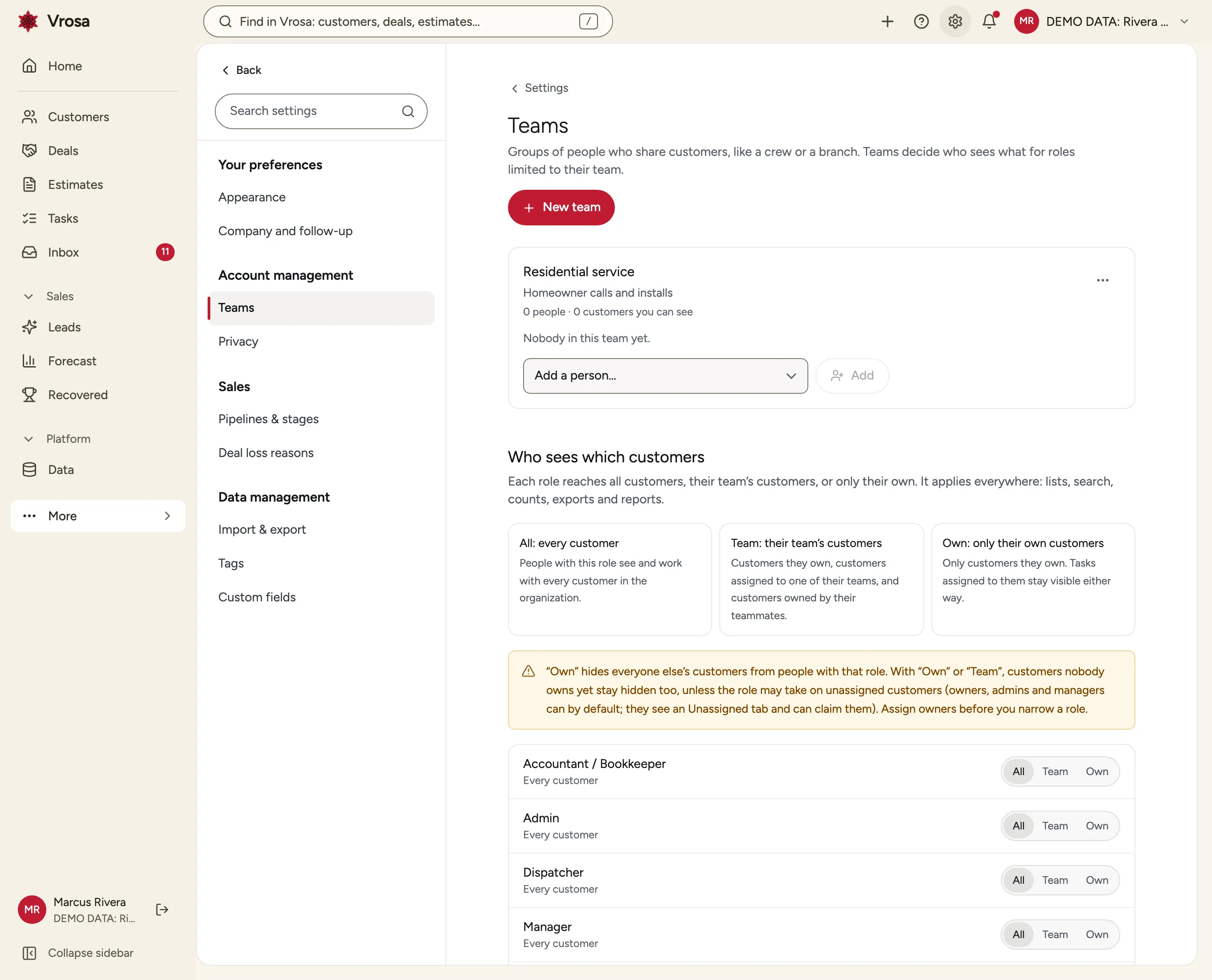
Growing means sharing, carefully
When it is just you, everyone sees everything. As you add an office manager, a dispatcher and a few technicians, that stops being safe or sensible.
Vrosa lets you decide, for each role, whether people can reach every customer, only their team's customers, or only their own, and applies the choice everywhere: lists, search, counts and exports.
- Roles that match how service companies work
- Teams for crews and branches
- One access rule applied everywhere
Roles for the way service companies work
Vrosa starts with the roles most home-service businesses need and lets you narrow their reach.
Owner, Admin, Manager, Office, Technician, Dispatcher and Accountant or Bookkeeper, each with sensible permissions to start from.
Starting roles
- Owner and Admin
- Manager and Office
- Technician and Dispatcher
- Accountant or Bookkeeper
Starting roles
- Owner and Admin
- Manager and Office
- Technician and Dispatcher
- Accountant or Bookkeeper
Seven starting roles
Owner, Admin, Manager, Office, Technician, Dispatcher and Accountant or Bookkeeper, each with sensible permissions to start from.
All, team, or own
For each role choose whether people see every customer, their team's customers, or only the customers they own. Vrosa explains what each choice means before you set it.
Teams for crews and branches
Group people into teams, and assign customers to a team so everyone in it can reach them.
Ownership and assignment
Every customer should have someone looking after it.
The person who creates a customer owns it by default, and owners can be changed by people who are allowed to assign.
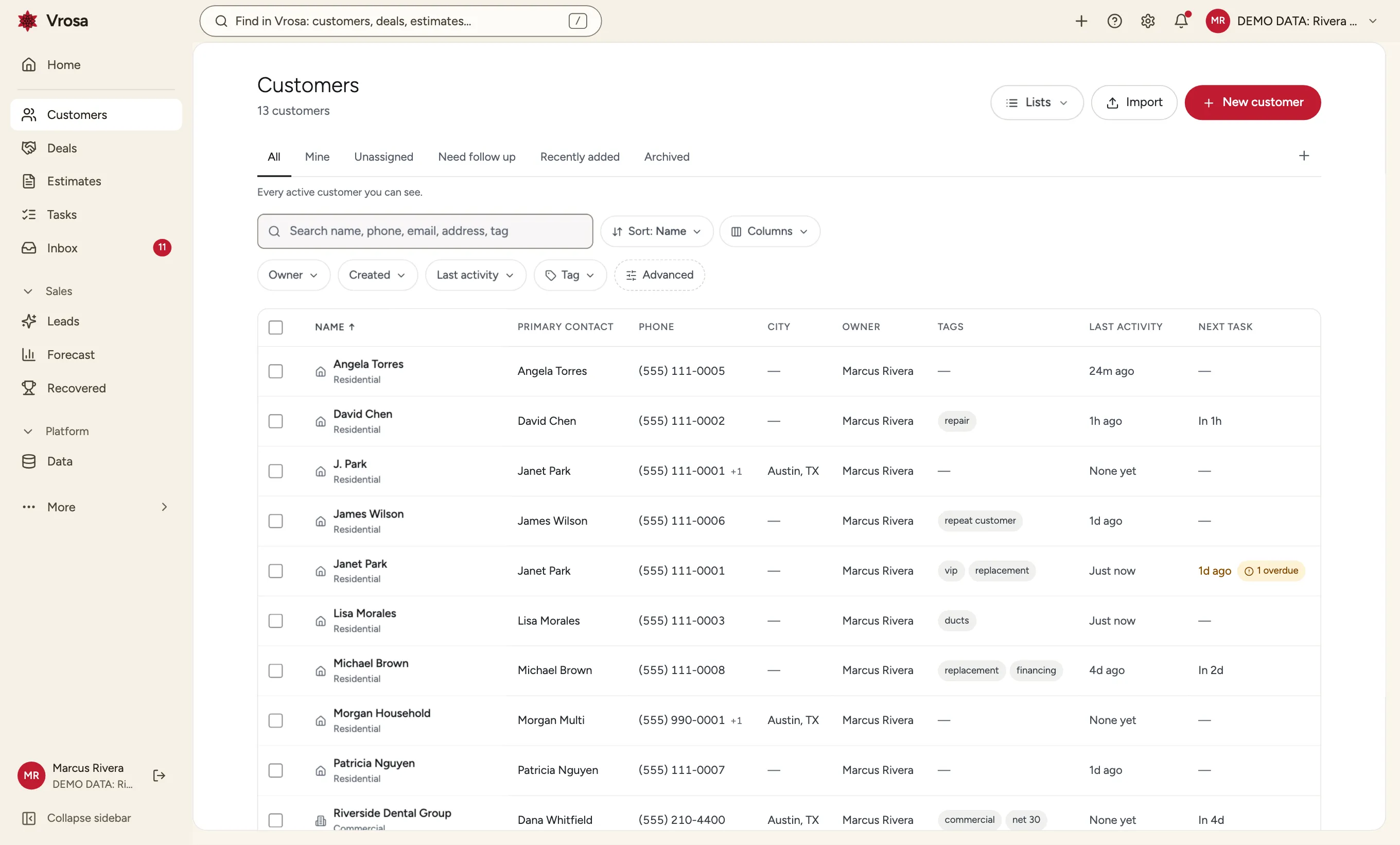
An owner on every customer
The person who creates a customer owns it by default, and owners can be changed by people who are allowed to assign.
How the pool works
- Hidden from own-scope and team-scope roles by default
- Visible to owners, admins and managers, which you can change
- Anyone allowed can claim a customer in one click
An unassigned pool, kept deliberate
Customers nobody owns are not visible to narrow roles by default. Roles you choose can see them and claim them.
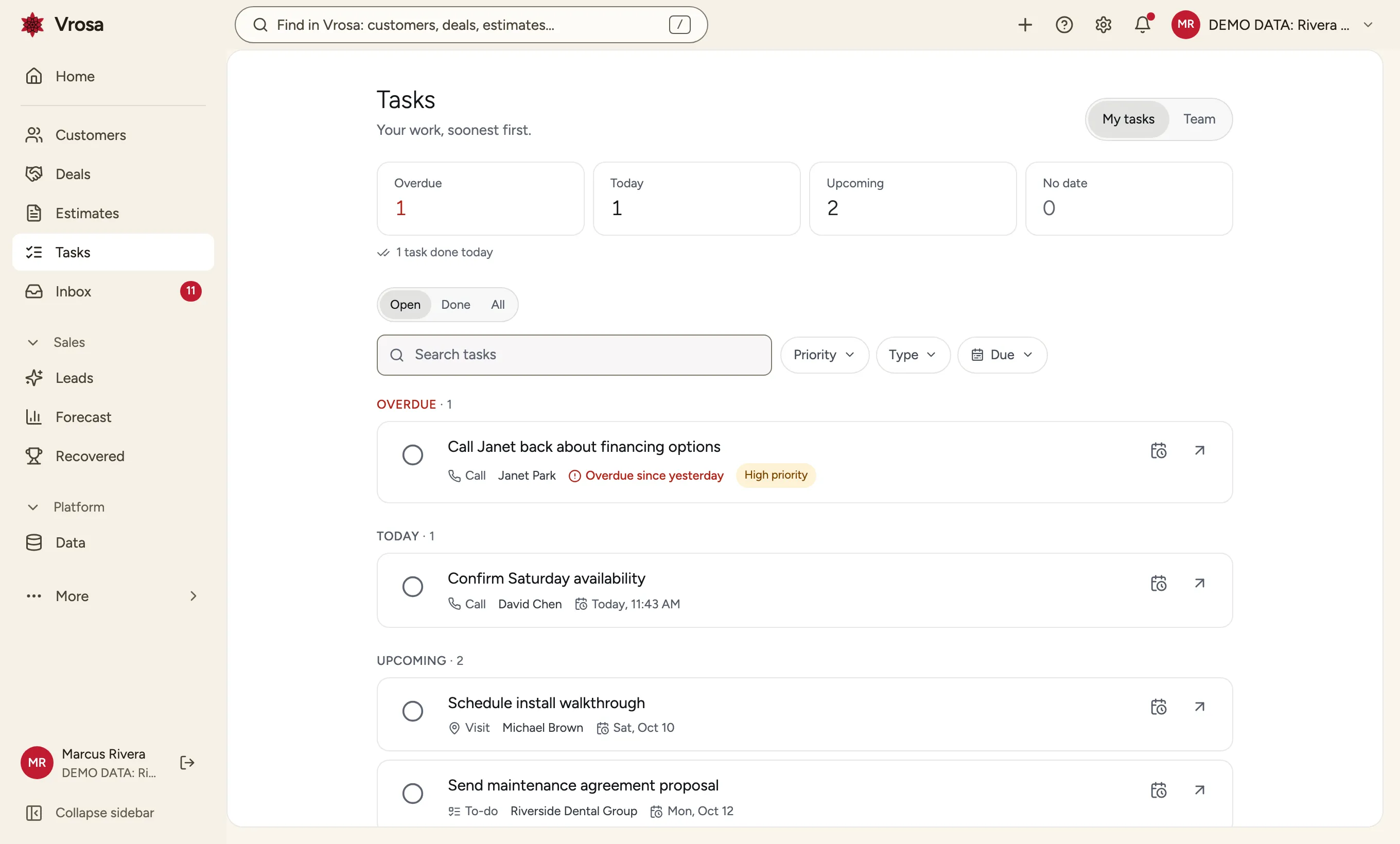
Work assigned to people
Tasks have owners and due dates, and a person's own work is always visible to them.
Accountability
Sensitive actions should leave a trail and need their own permission.
Creating, editing, archiving, assigning, importing, exporting, merging and erasing are separate permissions, so a role can do some without all.
Separate permissions for
- Creating and editing customers
- Assigning owners and teams
- Importing and exporting
- Merging and erasing
Separate permissions for
- Creating and editing customers
- Assigning owners and teams
- Importing and exporting
- Merging and erasing
Separate permissions for sensitive actions
Creating, editing, archiving, assigning, importing, exporting, merging and erasing are separate permissions, so a role can do some without all.
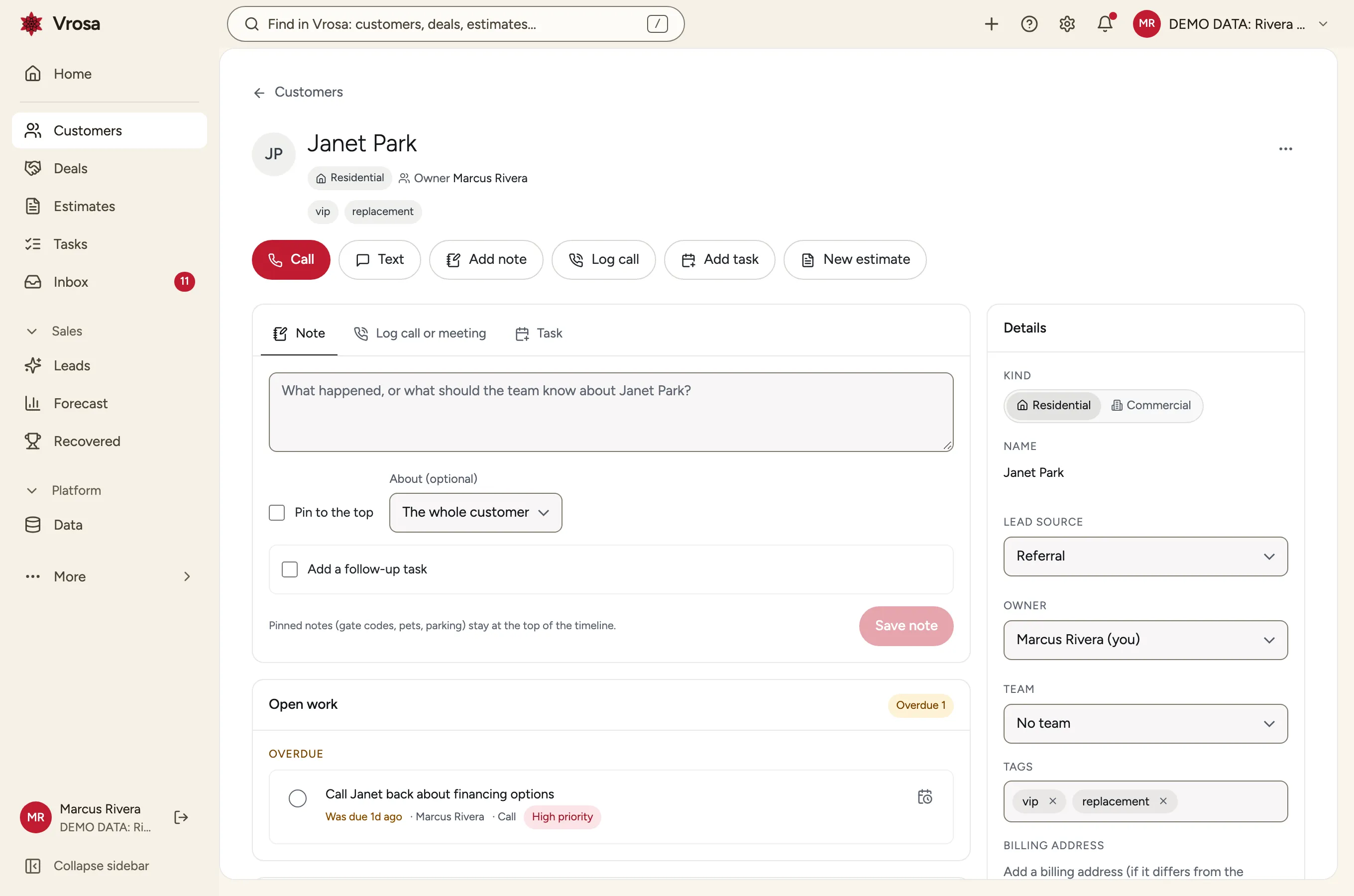
A trail of who did what
Customers keep a change history, and sensitive actions are recorded so you can see who did what and when.
See how Vrosa fits the way your team works
Tell us who is in your office and who is in the field, and we will show you how access would look.
One rule, applied everywhere
Whatever you choose for a role shapes search, lists, counts and exports alike.
Narrow when you need to
Technicians can see only what they own or their team's customers.
Broad when you want to
Owners and admins see everything.
Explained in plain words
Vrosa tells you what each choice does before you save it.
Part of one connected platform
Every area of Vrosa builds on the same customer record.
Questions
Can a technician see every customer?
Only if you let them. You can limit a role to its own customers or its team's customers, and Vrosa applies that to search, lists, counts and exports.
Who can export our customer list?
Exporting is its own permission, so you can allow it for a few roles and not others.
What happens to customers nobody owns?
They sit in an unassigned pool. Narrow roles cannot see it by default, and roles you choose can see and claim those customers.
Can I see it?
Vrosa is shown through guided demos with example data. Customer messaging runs in demo mode.